Archive for the ‘Accounting Software’ Category

What are the Features of Xero Accounting Software?

Xero has become a popular name in the cloud accounting world, especially for small and growing businesses. But with so many features, it can be overwhelming to know where to start. This blog dives into the top 10 Xero software features you should be aware of, along with their benefits, pros, and cons, to help you decide if Xero is the right fit for your business.

1. Cloud-Based Accounting

Imagine having your financial data accessible from anywhere, anytime, on any device. That’s the magic of cloud accounting. Xero stores your data on remote servers, allowing you to log in via a web browser or mobile app. This fosters remote collaboration with your accountant or bookkeeper, giving them real-time access to your finances.

•    Benefits: Access your financials from anywhere, anytime, on any device with an internet connection. This allows for remote collaboration with your accountant and bookkeeping team.
•    Pros: Improved flexibility, real-time data access, and disaster recovery potential.
•    Cons: Requires a stable internet connection, potential security concerns (mitigated by Xero’s security measures).

2. User-Friendly Interface

Xero ditches the complexity often found in accounting software. It boasts a clean and intuitive interface designed for easy navigation, even for those with limited accounting experience. Menus and functionalities are clearly labeled, with helpful tools and prompts to guide you through the process.

•    Benefits: Xero boasts a clean and intuitive interface, making it easy to navigate even for those with limited accounting experience.
•    Pros: Saves time on learning the software, reduces errors, and improves user adoption within your business.
•    Cons: It may lack some advanced features for complex accounting needs.

3. Automated Bank Reconciliation

Say goodbye to tedious manual bank statement reviews! Xero connects to your bank accounts and automatically downloads your transactions. It then cleverly matches these transactions with your existing records in Xero. You can simply review and approve the matches, saving hours of manual data entry and minimizing errors.

•    Benefits: Saves time by automatically matching bank transactions with your records in Xero, minimizing manual data entry.
•    Pros: Improve accuracy, reduce human error, and streamline the reconciliation process.
•    Cons: It may require some initial setup and ongoing review for accuracy, and might not work perfectly with all banks.

4. Simplified Invoicing

Forget scrambling to create invoices. Xero streamlines the process. You can create professional-looking invoices directly within the software, complete with your branding and logo. Send them electronically to your clients with a few clicks, and track their status to see if they’ve been opened or paid. You can even set up automated reminders for overdue invoices.

•    Benefits: Create, send, and track invoices online with ease. Automate recurring invoices and set up invoice reminders.
•    Pros: Saves time and improves cash flow by getting paid faster. Easy to customize invoices with your branding.
•    Cons: Limited customization options compared to dedicated invoicing software.

5. Efficient Expense Tracking

Keeping track of business expenses can be a chore. Xero makes it simple. You can categorize expenses, link them to specific projects or clients, and even upload receipts directly into the software. This eliminates the need for paper trails and simplifies expense reporting come tax time.

•    Benefits: Track and categorize business expenses with ease, upload receipts and link them to transactions.
•    Pros: Improved expense management, simplifies tax preparation, and provides valuable insights into spending habits.
•    Cons: Requires discipline in keeping up with receipts and data entry.

6. Multi-Currency Support

If your business operates internationally, managing multiple currencies can be a headache. Xero (in its Established plan) eliminates this hassle. You can set up different currencies for your accounts, invoices, and bills. Xero automatically handles the exchange rates, ensuring accurate financial records regardless of the currency used.

•    Benefits: Manage finances in multiple currencies, ideal for businesses with international transactions.
•    Pros: Simplifies accounting for international operations, eliminates manual currency conversions, and reduces errors.
•    Cons: Available only in higher-tier plans, adds complexity for businesses solely operating in one currency.

7. Robust Inventory Management (Established Plan)

For businesses with physical products, keeping track of stock is crucial. Xero’s inventory management feature (available in the Established plan) allows you to add and track your inventory levels. You can set minimum stock levels and receive automated alerts when it’s time to reorder. Xero can even generate purchase orders for your suppliers, streamlining the restocking process.

•    Benefits: Track inventory levels, automate purchase orders, and gain insights into product sales and profitability.
•    Pros: Improves inventory control, reduces stockouts, and optimizes ordering processes (applicable to businesses with physical products).
•    Cons: Only available in the Established plan (the highest tier), might be unnecessary for service-based businesses.

8. Streamlined Payroll Management (Add-on)

Payroll processing can be complex and time-consuming. Xero offers a payroll add-on that automates calculations, deductions, and tax filings. You can enter employee details and pay rates, and Xero handles the rest, ensuring accurate and on-time payments to your employees. This add-on also simplifies tax reporting for payroll taxes.

•    Benefits: Automate payroll calculations, deductions, and tax filing, ensuring accurate and timely payments to employees.
•    Pros: Saves time and reduces the risk of errors in payroll processing, improves employee satisfaction with on-time payments.
•    Cons: Requires an additional subscription fee, may not be suitable for very small businesses with few employees.

9. Customisable Reports

Xero empowers you to analyze your business health with a variety of customizable reports. You can generate reports on income and expenses, cash flow, profitability, and more. Drill down into specific areas or compare financial performance over different periods. These reports provide valuable insights to help you make informed business decisions.

•    Benefits: Generate a variety of financial reports to gain insights into your business performance, cash flow, and profitability.
•    Pros: Allows you to track key metrics and make data-driven decisions, simplifies communication with investors or lenders.
•    Cons: Requires some understanding of financial reports to interpret them effectively.

10. Third-Party App Integrations

The beauty of Xero lies in its ability to connect with a vast ecosystem of third-party apps. These apps integrate seamlessly with Xero, allowing you to connect your business tools and automate data flow. For example, you can integrate your CRM system with Xero to automatically generate invoices for closed deals.

•    Benefits: Xero integrates with a wide range of third-party apps to extend its functionality, such as CRM, point-of-sale systems, and marketing tools.
•    Pros: Streamlines workflows by connecting your business tools, automates data flow, and caters to the specific needs of your business.
•    Cons: Managing multiple integrations can become complex, and additional costs might be incurred for some app subscriptions.

Customer Reviews of Xero

Here’s a glimpse into what actual Xero users have to say about some of the features we discussed:

•    Cloud-Based Accounting: “Xero’s cloud-based system is a game-changer. My accountant can now access my books anytime, anywhere, which saves us a ton of time and hassle.” – Sarah L., small business owner
•    Automated Bank Reconciliation: “Reconciling bank statements used to take forever. Now with Xero, it’s practically automatic. It saves me so much time and frustration.” – David M., freelancer

By understanding these top features and their pros and cons, you can make an informed decision about whether Xero is the right accounting software for your business. Consider your specific needs, budget, and technical expertise when evaluating the features that will provide the most value for your company.

FAQ’s

Q1. What is Xero accounting software?

Xero is a cloud-based accounting software designed to help small and growing businesses manage their finances efficiently. It offers a range of features to streamline accounting processes, from invoicing and expense tracking to payroll management and financial reporting.

Q2. What are the benefits of using Xero?

Xero offers numerous benefits, including:
Accessibility: Access your financial data from anywhere, anytime, on any device with an internet connection.
User-friendly interface: Navigate through the software easily, even with limited accounting experience.
Time-saving automation: Automate tasks such as bank reconciliation and invoicing to save time and reduce errors.
Multi-currency support: Manage finances in multiple currencies for international operations.
Integration with third-party apps: Connect with a variety of business tools to extend functionality and streamline workflows.

Q3. Is Xero suitable for my business?

Xero is suitable for small and growing businesses across various industries. Whether you’re a freelancer, consultant, retailer, or service provider, Xero’s customizable features can adapt to your specific needs.

Q4. How does Xero handle security?

Xero prioritizes the security of your financial data. It employs industry-standard encryption and authentication protocols to protect your information. Additionally, Xero regularly updates its security measures to mitigate potential risks.

Q5. Can I integrate Xero with other software tools my business uses?

Yes, Xero offers seamless integration with a wide range of third-party apps, including CRM systems, point-of-sale software, and marketing tools. These integrations allow you to automate data flow and streamline your business processes.

Q6. Does Xero offer customer support?

Yes, Xero provides customer support through various channels, including online help guides, tutorials, and responsive customer service teams. You can also access community forums and webinars for additional support and learning resources.

NetSuite Features, and Benefits of Tax Management

In today's globalized business environment, international companies face a multitude of challenges. Managing finances across borders adds another layer of complexity, demanding meticulous record-keeping and strict adherence to ever-evolving tax regulations. We understand these intricacies intimately at Global FPO, a leading provider of international finance and accounting solutions.

Our commitment lies in empowering businesses like yours to navigate the complexities of international finance with confidence. One of the most powerful tools at your disposal is cloud-based accounting software designed specifically for global operations. Enter NetSuite – a comprehensive solution that goes beyond basic accounting functionalities, offering a robust Enterprise Resource Planning (ERP) system.

Demystifying NetSuite: A Feature-Rich Accounting Powerhouse

NetSuite transcends the limitations of traditional accounting software. It's a cloud-based solution specifically designed to cater to the needs of growing and established businesses. NetSuite offers a comprehensive suite of features that streamline accounting processes and provide valuable insights into your financial health. Here's a closer look at some of its core functionalities:

  • Streamlined Accounts Payable & Receivable Management: NetSuite automates invoice processing, simplifies payment workflows, and offers real-time visibility into your cash flow. This translates into faster processing times, improved cash flow management, and better control over your financial resources.
  • Centralized General Ledger: Maintaining accurate and accessible financial records is crucial. NetSuite provides a centralized general ledger that simplifies data entry, facilitates reconciliation, and enables you to easily generate comprehensive financial reports.
  • Effortless Financial Consolidation: For businesses with multiple subsidiaries or international operations, consolidating financial data can be a tedious task. NetSuite simplifies this process by allowing you to effortlessly consolidate financial information from various locations, providing a holistic view of your global financial performance.

These are just a few of the core accounting features offered by NetSuite. But for international businesses like yours, the true value lies in its next-level tax management capabilities.

NetSuite Tax Management: Simplifying Compliance in a Complex World

Tax compliance is a significant challenge for businesses operating internationally. NetSuite's integrated tax management system tackles this challenge head-on, offering features that can save you time, minimize errors, and ensure you remain compliant with even the most intricate tax regulations. Here's how NetSuite streamlines tax management for international businesses:

  • Automated Tax Calculations: Manual tax calculations are prone to errors and can be incredibly time-consuming. NetSuite automates these calculations for various tax types, including sales tax, VAT, and other international taxes. This ensures accuracy and frees up your team to focus on more strategic tasks.
  • Seamless Sales Tax Integration: Integrating NetSuite with your existing sales tax engine allows for real-time tax calculations at the point of sale. This eliminates the risk of human error and guarantees you collect the correct amount of sales tax on every transaction.
  • Real-time Tax Reporting: Staying on top of ever-changing tax regulations and generating compliant reports can be daunting. NetSuite empowers you with real-time tax reporting capabilities, allowing you to effortlessly generate comprehensive reports that meet the requirements of various international tax authorities.

The benefits of leveraging NetSuite's tax management system extend far beyond simplifying compliance. Let's delve into the tangible advantages your business can experience.

Unleashing the Power of NetSuite Tax Management: A Multitude of Benefits

Integrating NetSuite's tax management system into your international financial operations offers a multitude of advantages. Here are some of the key benefits you can expect:

  • Enhanced Accuracy: Automated tax calculations significantly reduce the risk of human error, ensuring accurate tax filing and minimizing the possibility of penalties.
  • Increased Efficiency: Streamlining tax compliance processes with NetSuite saves your team valuable time and resources that can be better utilized for strategic planning and core business activities.
  • Unparalleled Visibility: NetSuite provides real-time insights into your global tax liabilities, empowering you to make informed financial decisions with greater confidence.
  • Reduced Costs: Minimizing errors and ensuring compliance translates to potential cost savings by reducing the risk of penalties and uncovering tax optimization opportunities.
  • Simplified Compliance: NetSuite simplifies navigating complex international tax regulations, giving you peace of mind and allowing your team to focus on what matters most – growing your business.

Understanding NetSuite's Cost Structure

NetSuite utilizes a modular pricing structure, allowing you to customize the software to fit your specific needs and budget. The exact cost will vary depending on the chosen features, the number of users, and the complexity of your business operations. While the upfront cost might seem like a consideration, the potential return on investment (ROI) for international businesses can be substantial.

Here at Global FPO, we can help you navigate NetSuite's pricing structure and identify the optimal solution that aligns with your specific requirements.

NetSuite: The Perfect Fit for International Businesses

NetSuite offers a powerful and comprehensive solution for international businesses seeking to streamline their accounting processes, ensure tax compliance, and gain valuable financial insights. Its robust features, combined with its advanced tax management capabilities, make it an ideal choice for companies operating across borders.

Beyond Features: The Power of Global FPO's Expertise

While NetSuite offers a user-friendly platform, implementing and leveraging its full potential can require guidance and support. Global FPO, our team of experienced professionals possesses a deep understanding of both NetSuite's functionalities and the intricacies of international finance. We offer a comprehensive suite of NetSuite services, including:

  • NetSuite Implementation: We guide you through the entire NetSuite implementation process, ensuring a smooth transition and optimal configuration tailored to your specific business needs.
  • Customization and Integration: NetSuite's modular design allows for customization. We can help you configure the software to seamlessly integrate with your existing systems and workflows.
  • Ongoing Support: Our team provides ongoing support to ensure you maximize the value of your NetSuite investment. We offer training for your staff and are available to answer any questions you may have as you navigate the software.

Taking the Next Step: Unleash the Power of NetSuite with Global FPO

Are you ready to transform your international accounting processes and achieve greater financial control? NetSuite, coupled with Global FPO's expertise, can empower you to streamline operations, ensure compliance, and gain valuable insights to drive strategic growth.

Contact Global FPO today to schedule a consultation with our team. We'll discuss your specific needs and demonstrate how NetSuite, along with our expert guidance, can propel your international business to new heights of financial success.

QuickBooks vs. Xero: Which Is the Best Accounting Software in 2025?

In the bustling world of business, managing finances efficiently is crucial for success. Whether you’re a small startup or a large corporation, having reliable accounting software can make all the difference. In 2025, two of the top contenders in the market are QuickBooks and Xero. Both offer a plethora of features designed to streamline accounting processes and keep businesses on track financially. But which one is truly the best? Let’s delve into the comparison to find out.

Introduction to QuickBooks

QuickBooks is a powerful accounting software designed to streamline financial management for businesses of all sizes. With its user-friendly interface and comprehensive features, QuickBooks enables users to effortlessly track income and expenses, manage invoices and payments, reconcile accounts, and generate insightful reports. Whether you’re a freelancer, small business owner, or a large corporation, QuickBooks offers customizable solutions tailored to your specific accounting needs. From organizing transactions to facilitating tax preparation, QuickBooks online empowers businesses to efficiently manage their finances, saving time and resources while ensuring accuracy and compliance. With its intuitive design and robust functionality, QuickBooks online remains a trusted choice for businesses seeking reliable and efficient accounting software.

Here are some Features of QuickBooks:-

1.    Automated banking and accounting features: QuickBooks Online automates many banking and accounting tasks, such as reconciling bank transactions and categorizing expenses, saving time and reducing errors.
2.    Manage estimates and invoices: Users can easily create, customize, and send estimates and invoices to clients, streamlining the billing process and improving cash flow management.
3.    Optimized expense tracking: QuickBooks Online allows users to track expenses efficiently, categorize them, and even capture receipts digitally, providing a clear overview of business spending.
4.    Team member management features: This feature enables businesses to manage their team members’ access to QuickBooks Online, ensuring that each member has the appropriate level of access and permissions.
5.    Organize client lists: Users can maintain organized client lists within QuickBooks Online, making managing customer relationships and tracking transactions associated with each client easier.
6.    Invoicing: QuickBooks Online offers robust invoicing capabilities, allowing users to create, send, and track invoices seamlessly, improving billing accuracy and timeliness.
7.    Bank feeds: Users can connect their bank accounts to QuickBooks Online, automatically syncing bank transactions, simplifying reconciliation, and ensuring accurate financial records.
8.    GST: QuickBooks Online supports Goods and Services Tax (GST) tracking and reporting, helping businesses comply with tax regulations and streamline the GST filing process.
9.    Inventory: Businesses can manage their inventory within QuickBooks Online, tracking stock levels, sales, and purchases, which is crucial for businesses that sell products.
10.    Capture and organize receipts: QuickBooks Online allows users to capture and digitize receipts using their mobile devices, eliminating the need for manual entry and ensuring that all expenses are recorded accurately.
11.    Mobile app: The mobile app enables users to access QuickBooks Online from anywhere, making it convenient to manage finances and stay updated on business activities.
12.    Insights and reports: QuickBooks Online provides various insights and reports that offer valuable information about the business’s financial health, performance, and trends, helping users make informed decisions and plan for the future effectively.

Introduction to Xero

Xero is a leading cloud-based accounting software that revolutionizes financial management for businesses worldwide. Offering a comprehensive suite of tools, Xero simplifies tasks such as invoicing, bank reconciliation, expense tracking, and reporting, all accessible from any internet-enabled device. With its intuitive interface and real-time data updates, Xero provides users with accurate insights into their financial health, facilitating informed decision-making and strategic planning. Whether you’re a freelancer, a small business, or a larger enterprise, Xero’s scalable solutions adapt to your needs, ensuring seamless collaboration among team members and accountants. Trusted by millions of users globally, Xero empowers businesses to streamline their accounting processes, improve efficiency, and drive growth.

Here are some features of Xero:

1.    Pay bills: Xero allows users to easily pay bills electronically, streamlining the accounts payable process and ensuring timely payments to vendors.
2.    Claim expenses: Users can conveniently claim expenses within Xero, making it simple to track and reimburse business-related expenses incurred by employees.
3.    Bank connections: Xero enables users to connect their bank accounts, facilitating automatic bank feeds that update transactions regularly, and ensuring accurate financial data.
4.    Accept payments: Businesses can accept payments from customers directly through Xero, offering various payment options to improve cash flow and customer convenience.
5.    Track projects: Xero offers project tracking capabilities, allowing businesses to monitor project expenses, revenues, and profitability, providing insights into project performance.
6.    Payroll with Gusto: Integration with Gusto provides comprehensive payroll services within Xero, simplifying payroll processing and ensuring compliance with payroll regulations.
7.    Bank reconciliation: Xero automates bank reconciliation, matching bank transactions with corresponding entries in the accounting records, reducing manual effort, and minimizing errors.
8.    Manage Xero contacts: Users can efficiently manage contacts within Xero, including customers, vendors, and employees, centralizing contact information and improving communication.
9.    Automated daily bank feeds: Xero provides automated daily bank feeds, ensuring that financial data is always up-to-date, allowing for better decision-making and financial management.
10.    Tracking: Xero offers tracking features, enabling businesses to categorize transactions and expenses for different departments, projects, or cost centers, facilitating better cost control and analysis.
11.    VAT returns: Xero helps businesses manage Value Added Tax (VAT) by automatically calculating VAT amounts, generating VAT returns, and facilitating VAT compliance.
12.    Payrolls and pensions: Xero includes payroll functionality, allowing businesses to manage employee payroll and pensions efficiently, ensuring accurate and timely payments to employees.

Read This:- Key Features and Benefits of FreshBooks Accounting Software

Pricing Plans

When it comes to pricing, both Xero and QuickBooks offer tiered subscription plans to accommodate businesses of varying sizes and needs.

QuickBooks: QuickBooks offers several pricing plans, including Simple Start, Essentials, Plus, and Advanced. The cost varies depending on the plan and additional features required. For example, the Simple Start plan starts at $18 per month, while the Advanced plan can cost up to $38 per month.

Xero: Xero also offers multiple pricing tiers, such as Early, Growing, and Established. The pricing ranges from $15 per month for the Early plan to $78 per month for the Established plan.

Features and Functionality

Quickbooks vs Xero offers a wide range of features to help businesses manage their finances effectively. Let’s take a closer look at some of the key features of each platform:

Invoicing: Both QuickBooks and Xero allow users to create and send professional invoices to clients. They offer customizable invoice templates, recurring invoicing, and the ability to accept online payments.

Expense Tracking: Businesses can track expenses easily with both QuickBooks and Xero. They offer features such as bank reconciliation, expense categorization, and receipt capture.

Bank Reconciliation: QuickBooks and Xero automate bank reconciliation, making it easy to match transactions with bank statements and identify discrepancies.

Payroll Management: QuickBooks and Xero offer payroll processing services to help businesses manage employee salaries, taxes, and benefits. They also provide compliance tools to ensure payroll accuracy.

Reporting: Both platforms offer robust reporting capabilities, allowing users to generate financial reports such as profit and loss statements, balance sheets, and cash flow statements.

Integration: QuickBooks and Xero integrate with a wide range of third-party apps and services, such as CRM software, e-commerce platforms, and payment gateways, to streamline business operations.

User Experience

One of the most important factors to consider when choosing accounting software is the user experience. QuickBooks Online vs Xero strives to provide intuitive interfaces and easy navigation for users.

QuickBooks: QuickBooks is known for its user-friendly interface and straightforward navigation. The platform offers guided setup and tutorials to help new users get started quickly. Additionally, QuickBooks provides excellent customer support through phone, chat, and email.

Xero: Xero also prides itself on its user-friendly interface and intuitive design. The platform offers a clean and organized layout, making it easy for users to find the tools they need. Xero provides comprehensive help resources, including online guides, videos, and community forums.

Customer Support

Prompt and reliable customer support is essential when using accounting software, especially if you encounter technical issues or have questions about the software’s features.

QuickBooks: QuickBooks offers excellent customer support with various channels for assistance, including phone support, live chat, email support, and an extensive knowledge base. Users can also access community forums to get help from other users and experts.

Xero: Xero provides responsive customer support through email and an online help center. Users can also reach out to Xero’s support team via phone during business hours. Additionally, Xero offers training resources and webinars to help users master the software.

Also Read- Top 10 XERO Software Features You Should Know About

Security and Data Protection

With sensitive financial data at stake, security is a top priority for businesses when choosing accounting software. Both QuickBooks and Xero prioritize data protection and employ robust security measures to safeguard user information.
QuickBooks: QuickBooks uses bank-grade encryption to protect user data and offers multi-factor authentication for added security. The platform also undergoes regular security audits and compliance checks to ensure the integrity of its systems.
Xero: Xero follows industry best practices for data security and encryption. The platform employs firewalls, intrusion detection systems, and regular security updates to protect user data from unauthorized access. Xero also offers two-step authentication to enhance account security.

Mobile Accessibility

In today’s fast-paced business environment, mobile accessibility is essential for managing finances on the go. Both QuickBooks and Xero offer mobile apps that allow users to access key accounting features from their smartphones or tablets.
QuickBooks: QuickBooks offers mobile apps for iOS and Android devices, allowing users to create and send invoices, track expenses, and view financial reports from anywhere. The mobile app also provides real-time notifications and alerts to keep users informed about their finances.

Xero: Xero’s mobile app provides similar functionality to its desktop counterpart, enabling users to manage invoicing, expenses, and bank reconciliation on the go. The app features a user-friendly interface optimized for mobile devices, making it easy to navigate and use.

Integration and Add-Ons

Integration with third-party apps and add-ons can enhance the functionality of accounting software and streamline business processes. Both QuickBooks and Xero offer extensive integration options to connect with other tools and services.

QuickBooks: QuickBooks integrates seamlessly with a wide range of third-party apps and services, including PayPal, Shopify, and Square. Users can sync data between QuickBooks and other business tools to automate tasks and improve efficiency.

Xero: Xero also offers a robust ecosystem of integrations and add-ons, including CRM software, inventory management systems, and project management tools. Users can customize their Xero experience by connecting with the apps and services that best suit their business needs.

Conclusion

Both QuickBooks and Xero are powerful accounting software solutions that offer a wealth of features and capabilities to help businesses manage their finances effectively. The choice between the two ultimately depends on the specific needs and preferences of each business. QuickBooks may be a better fit for businesses that prioritize user-friendly interfaces, comprehensive customer support, and seamless integration with third-party apps. On the other hand, Xero may appeal to businesses looking for a clean and intuitive design, robust security features, and mobile accessibility.

Regardless of which accounting software you choose, investing in a reliable solution like QuickBooks or Xero can help streamline your financial processes, improve accuracy, and drive business growth in 2025 and beyond.

Know This:- Key Functions of QuickBooks Online to Automate Classification

How Global FPO Can Help You in Bookkeeping with QuickBooks vs. Xero?

Navigating the complexities of bookkeeping requires expertise and precision, and Global FPO stands as a trusted partner in optimizing financial processes with both QuickBooks and Xero. With a team of seasoned professionals well-versed in the intricacies of accounting software, Global FPO offers tailored solutions to meet your bookkeeping needs effectively. Whether you choose QuickBooks or Xero, Global FPO provides comprehensive support, from initial setup and integration to ongoing maintenance and optimization. Our expert bookkeepers leverage the full potential of QuickBooks and Xero to ensure accurate financial records, streamlined workflows, and actionable insights. With Global FPO by your side, you can rest assured knowing that your bookkeeping is in capable hands, allowing you to focus on driving business growth and success.

FAQ’s

Q1. What are QuickBooks and Xero?

QuickBooks and Xero are cloud-based accounting software solutions designed to help businesses manage their finances efficiently. They offer a range of features such as invoicing, expense tracking, payroll management, and financial reporting.

Q2. How do QuickBooks and Xero differ from traditional accounting software?

Unlike traditional accounting software, QuickBooks and Xero are cloud-based, meaning they are accessible online from any device with an internet connection. They also offer real-time collaboration and automatic updates, eliminating the need for manual software installations and updates.

Q3. What types of businesses are QuickBooks and Xero suitable for?

QuickBooks and Xero cater to businesses of all sizes and industries, from sole proprietors and freelancers to large corporations. They are suitable for a wide range of businesses, including retail, e-commerce, professional services, and non-profit organizations.

Q4. Can I import data from my existing accounting software to QuickBooks or Xero?

Both QuickBooks and Xero offer tools to import data from other accounting software solutions. You can usually import data such as customer and vendor information, the chart of accounts, and transaction history using CSV or Excel files.

Q5. Are QuickBooks and Xero secure?

Yes, both QuickBooks and Xero prioritize data security and employ robust measures to protect user information. They use bank-grade encryption, firewalls, and multi-factor authentication to safeguard data from unauthorized access. Additionally, they undergo regular security audits and compliance checks to ensure the integrity of their systems.

Q6. Can I access QuickBooks and Xero from my mobile device?

Yes, both QuickBooks and Xero offer mobile apps for iOS and Android devices, allowing users to access key accounting features on the go. You can create and send invoices, track expenses, reconcile bank transactions, and view financial reports from your smartphone or tablet.

Automate Financial Processes and Optimize Cash Flow with NetSuite

In today's fast-paced business landscape, efficient financial management is crucial for sustaining growth and achieving long-term success. For businesses of all sizes, managing cash flow, monitoring expenses, and ensuring compliance with financial regulations can be complex and time-consuming tasks. However, with the right tools and technology in place, these challenges can be overcome.

Enter NetSuite, a comprehensive cloud-based ERP (Enterprise Resource Planning) solution that empowers businesses to automate financial processes and optimize cash flow like never before. we'll explore how NetSuite can revolutionize your financial operations, helping you streamline processes, gain real-time insights, and drive business growth.

The Challenges of Traditional Financial Management:

  • Manual data entry: Repetitive tasks like data entry are inefficient and susceptible to errors, impacting the accuracy and reliability of financial reports.
  • Lack of automation: Time-consuming processes like invoice processing, bill payments, and reconciliation slow down operations and limit growth potential.
  • Limited visibility: Siloed data and fragmented systems restrict access to real-time financial insights, hindering informed decision-making.
  • Inefficient cash flow management: Delayed payments, inaccurate forecasts, and manual processes lead to poor cash flow visibility and potential liquidity issues.

Why NetSuite?

NetSuite is a leading cloud-based ERP system trusted by thousands of businesses worldwide. It offers a wide range of features and functionalities designed to streamline financial processes, improve visibility, and enhance decision-making. Here are some key benefits of using NetSuite for financial management:

  1. Integrated Platform: NetSuite provides a unified platform that combines financial management, CRM, e-commerce, and other essential business functions. This integration eliminates the need for multiple disparate systems, enabling seamless data flow across departments and improving overall efficiency.
  2. Automation: With NetSuite, manual financial tasks such as data entry, reconciliation, and reporting can be automated, saving time and reducing the risk of errors. Automated workflows ensure that processes are executed consistently and efficiently, allowing your finance team to focus on strategic initiatives.
  3. Real-time Insights: NetSuite offers real-time visibility into your financial performance, allowing you to monitor key metrics, track expenses, and identify trends as they emerge. Customizable dashboards and reports provide actionable insights, empowering you to make informed decisions and drive business growth.
  4. Scalability: NetSuite is designed to scale with your business whether you're a small startup or a large enterprise. As your operations grow and evolve, NetSuite can easily accommodate changing needs, ensuring that your financial management processes remain efficient and effective.

Optimizing Cash Flow with NetSuite

Effective cash flow management is essential for the financial health and stability of any business. NetSuite provides powerful tools and capabilities to help you optimize cash flow and improve liquidity. Here's how:

  1. Cash Forecasting: NetSuite's cash forecasting functionality allows you to accurately predict future cash inflows and outflows based on historical data and current trends. By gaining visibility into your cash position, you can proactively manage liquidity and make informed decisions to support your business objectives.
  2. Accounts Receivable Management: NetSuite streamlines the accounts receivable process, enabling you to automate invoicing, track customer payments, and manage collections more efficiently. With features such as automated reminders and customer portals, you can accelerate cash inflows and reduce DSO (Days Sales Outstanding).
  3. Accounts Payable Automation: NetSuite simplifies accounts payable management, automating invoice processing, approval workflows, and payment execution. Streamlining the AP process allows you to optimize vendor relationships, take advantage of early payment discounts, and improve cash flow management.
  4. Working Capital Optimization: NetSuite offers advanced analytics and reporting capabilities to help you optimize working capital and reduce excess inventory and receivables. By identifying areas for improvement and implementing strategic initiatives, you can free up cash for investment in growth opportunities.

Beyond Automation: A Suite of Empowering Tools:

NetSuite isn't just about automation; it's about empowering you with a comprehensive suite of tools:

  • Scalability unbound: Growing pains? No problem. NetSuite adapts seamlessly to your expanding business, supporting your evolving needs and future aspirations.
  • Customizable to your core: Forget off-the-shelf solutions that don't quite fit. NetSuite tailors itself to your unique business processes and industry requirements, ensuring a perfect match.
  • Fort Knox-level security: Breathe easy knowing your sensitive financial data is protected by robust security measures, allowing you to focus on driving your business forward.
  • Freedom to manage on the go: Manage finances and tasks from any device, anytime, anywhere. This newfound flexibility empowers you to stay on top of things, regardless of location.

The Tangible Rewards of Automation:

NetSuite's impact goes beyond mere automation; it delivers tangible results:

  • Cost savings that sing: Streamlined operations, minimized errors, and automated tasks translate to significant cost savings, freeing up resources for strategic investments.
  • Accuracy you can trust: Ditch the data entry demons and embrace reliable financial data. Make informed decisions with confidence, knowing your numbers are rock-solid.
  • Faster financial close, more free time: Say goodbye to month-end stress. NetSuite's automation magic accelerates processes, giving you back valuable time and resources.
  • Optimized cash flow, maximized potential: Gain real-time visibility and control over your financial lifeblood. Make strategic decisions based on clear insights, maximizing cash flow and minimizing risk.
  • Data-driven decisions, fueled by insights: Gain access to powerful data and actionable insights, empowering you to make informed financial choices that propel your business towards sustainable growth.

Conclusion

In today's competitive business environment, efficient financial management is critical for success. NetSuite provides a comprehensive solution to automate financial processes, optimize cash flow, and drive business growth. By leveraging the power of NetSuite, you can streamline operations, gain real-time insights, and make informed decisions to achieve your financial goals. Whether you're a small startup or a large enterprise, NetSuite offers the scalability and flexibility to support your evolving needs and unlock new opportunities for success.

Ready to Ascend to Strategic Clarity?

Don't let outdated, manual processes host you in the financial fog. Embrace the future of finance with NetSuite. Schedule a demo today and experience the transformative power of automation. Unlock optimized cash flow, streamline your operations, and gain the strategic clarity you need to reach new heights of success.

10 Must-Have NetSuite Cloud Accounting Software Features

In the ever-evolving landscape of business, cloud accounting software has become a cornerstone for organizations aiming to streamline financial processes and enhance overall efficiency. NetSuite, a robust cloud-based financial management solution, stands out for its comprehensive set of features. we'll explore the 10 must-have features that make NetSuite Cloud Accounting Software an indispensable tool for businesses seeking optimal financial management.

NetSuite Cloud Accounting revolutionizes traditional accounting practices by offering a comprehensive suite of tools accessible from anywhere with an internet connection. From financial management to revenue recognition, NetSuite streamlines processes and provides real-time insights for informed decision-making.

Why NetSuite Features Matter:

In a dynamic business environment, having the right tools can make all the difference. NetSuite's features are designed to address common pain points in accounting, such as manual data entry, disparate systems, and lack of visibility. By leveraging these features, businesses can improve efficiency, accuracy, and scalability.

Exploring the Top 10 Must-Have Features:

1. Unified Financial Platform:

NetSuite's strength lies in its ability to unify various financial processes seamlessly. A must-have feature is its capacity to automate key financial processes and provide real-time visibility into financial data. This unified platform eliminates silos, ensuring that finance staff can handle tasks without navigating to different interfaces.

2. Core Financials:

NetSuite's core financial application is a powerful catalyst for updating, creating, changing, and continuously improving company operations. It efficiently manages crucial accounting and financial functions, ensuring regulatory compliance. The feature provides a clear and concise overview of essential information, offering unparalleled visibility and control.

3. General Ledger:

The highly customizable General Ledger in NetSuite empowers organizations to tailor the application to their precise financial needs. Its reporting features and comprehensive audit functions offer unparalleled flexibility for managing an organization's finances on a global scale.

4. Accounts Receivable:

NetSuite's comprehensive Accounts Receivable solution empowers finance managers to manage and anticipate company growth effectively. It automates and streamlines the accounts receivable cycle, offering seamless integration with other financial processes.

5. Accounts Payable:

Built-in Accounts Payable processes save valuable time and boost productivity by automating essential tasks like invoice processing, payment management, and expense tracking. Streamlining these operations optimizes efficiency, minimizes errors, and enhances financial control.

6. Tax Management:

NetSuite's comprehensive tax management feature simplifies domestic and global tax compliance. With an intuitive user interface and robust reporting capabilities, businesses can generate accurate tax reports and streamline tax processes.

7. Fixed Assets Management:

This feature assists with asset maintenance, insurance, and the management of asset depreciation. It supports companies tracking large properties, plants, and equipment.

8. Cash Management:

NetSuite's Cash Management feature helps companies manage cash globally in real time, providing the treasury department with the ability to make strategic plans based on real-time reports of bank accounts, liquidity, and compliance.

9. Payment Management:

Track payments seamlessly within NetSuite, gaining real-time access to disbursement data for online sales and invoices.

10. NetSuite Advanced Financials:

Streamline your workflow and reduce manual effort by implementing automated billing processes. NetSuite's Advanced Financials allow customization of billing schedules and templates for effortlessly generating automatic invoices for different types of orders.

Conclusion:

NetSuite Cloud Accounting Software stands as a comprehensive solution for businesses seeking optimal financial management. The 10 must-have features discussed above encompass a wide range of capabilities, from unifying financial processes to advanced financial tools for a streamlined workflow. Embracing NetSuite ensures that businesses have the necessary tools to navigate the complexities of financial management and drive sustained growth and success. Whether you're a small startup or an established enterprise, these features make NetSuite an indispensable asset in the quest for financial excellence.

FAQs

Q: What are the system requirements for NetSuite Cloud Accounting Software? 

A: NetSuite is a cloud-based solution, requiring a standard web browser and internet connection. It's compatible with popular browsers such as Chrome, Firefox, Safari, and Edge.

Q: Can NetSuite integrate with other third-party applications? 

A: Yes, NetSuite offers robust integration capabilities with a wide range of third-party applications, streamlining various business processes.

Q: How does NetSuite ensure data security? 

A: NetSuite prioritizes data security with industry-leading measures, including encryption, access controls, and regular security updates.

Q: What kind of customer support does NetSuite provide? 

A: NetSuite offers 24/7 customer support via phone and online help center. The support team is well-equipped to assist with any issues or inquiries.

Q: Is NetSuite suitable for small businesses? 

A: Yes, NetSuite caters to businesses of all sizes, providing scalability to adapt to the evolving needs of small, medium, and large enterprises.

9 Reasons to Switch to NetSuite for Better Accounting

In the ever-evolving landscape of business technology, staying ahead of the curve is crucial for sustained growth and efficiency. Traditional accounting software, while once reliable, may now be holding your business back. Enter NetSuite, a cloud-based financial management solution that has been revolutionizing the way organizations handle their finances. In this blog, we’ll explore nine compelling reasons why you should consider making the switch from your traditional accounting software to NetSuite.

1. Tailor-Made Solutions for Your Business:

Selecting NetSuite over traditional accounting software becomes a strategic move due to its remarkable customizability. This feature allows you to align the software with the specific needs of your business or industry. NetSuite’s user-friendly interface complements its customization features, ensuring a seamless adaptation to your business processes without the hassle of integrating third-party software.

2. Adapting to Business Growth:

NetSuite is designed to evolve alongside your business. As your business expands and introduces new products and services, NetSuite seamlessly accommodates the increased complexity. Unlike basic accounting software that may struggle to manage a growing business, NetSuite ensures you can effortlessly handle the growing sophistication of your operations.

3. Comprehensive Business Management:

While traditional accounting software focuses solely on accounting operations, NetSuite goes beyond by offering a comprehensive solution for managing all aspects of your business. From order management and inventory to CRM and eCommerce functions, NetSuite provides an integrated platform. Integrating various business functions in traditional accounting software can be less seamless compared to the unified approach NetSuite offers.

4. Real-Time Visibility and 360-Degree Analytics:

NetSuite stands out for providing real-time visibility and robust analytics, offering a complete 360-degree view of your business. Traditional accounting software may manage specific aspects, but it falls short of delivering a holistic view. NetSuite ensures you have up-to-the-minute insights into your business operations, enabling informed decision-making.

5. Global-Ready and Technology Adoption:

NetSuite facilitates the adoption of new technologies seamlessly, making it ideal for businesses expanding globally. Whether you’re entering international markets or incorporating new technologies, NetSuite allows for easy adoption. Unlike traditional processes that involve manual data entry for global solutions, NetSuite simplifies the process with a single click.

6. Robust Security Measures:

While traditional accounting software boasts security features, NetSuite takes security to the next level. With features like role-based access control, idle disconnect, IP address restrictions, and 256-bit encryption, NetSuite employs best practices for password security. This ensures a robust safeguarding of sensitive information.

7. Transparent Audit Trail:

NetSuite enhances the audit trail process by providing comprehensive information on every financial transaction. Whether payments are made through bank transactions, cheques, or cash, NetSuite enables you to maintain a transparent and auditable trail, essential for regulatory compliance and internal audits.

8. Regulatory Compliance Made Easy:

Staying compliant with ever-changing regulations is a significant challenge for businesses. NetSuite simplifies this process by allowing easy adjustments to conform to new requirements. Unlike running accounting software independently, businesses on NetSuite can quickly adapt to regulatory changes, ensuring ongoing compliance.

9. Cost-Effectiveness and Tailored Options:

Despite the misconception that ERP software is costly, NetSuite provides cost-effective alternatives. Options like NetSuite Success Starter Edition cater specifically to small and medium businesses. Business owners can choose specific functions, such as NetSuite Accounting or NetSuite CRM, making it a tailored and budget-friendly solution. The initial investment proves worthwhile when considering the multitude of benefits of accounting software.

Conclusion:

From increased accessibility and scalability to advanced reporting and enhanced security, NetSuite provides a comprehensive platform to meet the evolving needs of modern businesses. Making the switch to NetSuite could be the transformative step your business needs for efficient financial management and sustained growth.

FAQs

Q1: How is NetSuite different from traditional accounting software?

A: NetSuite stands out with cloud-based accessibility, a unified financial platform, scalability, and comprehensive business management features, offering real-time visibility and enhanced security.

Q2: Can NetSuite adapt to evolving business needs?

A: Yes, NetSuite seamlessly accommodates growing complexities as businesses expand, making it a scalable solution that evolves alongside changing requirements.

Q3: Is NetSuite customizable for specific business needs?

A: Absolutely, NetSuite’s high customizability allows tailoring to exact business requirements, eliminating the need for third-party integrations and ensuring quick adaptation.

Q4: How does NetSuite ensure data security?

A: NetSuite employs robust security measures such as RBAC, idle disconnect, IP restrictions, and encryption, providing superior data protection compared to traditional accounting software.

Q5: What functions does NetSuite cover besides accounting operations?

A: NetSuite includes order and inventory management, CRM, and eCommerce functions, going beyond traditional software’s focus solely on accounting operations.

How Caseware Audit Software Transforms Auditing Processes

In the intricate realm of financial auditing, where precision and efficiency dance in tandem, Caseware Audit Software emerges as a transformative force, reshaping the landscape of auditing processes. This blog delves into the multifaceted facets of this cutting-edge software, exploring how it orchestrates a symphony of functionalities to elevate auditing to unprecedented levels of accuracy and effectiveness.

Unveiling the Canvas

Before embarking on the journey through the transformative capabilities of Caseware, let’s lay the groundwork by comprehending the essence of this sophisticated audit software. Caseware stands as a robust digital ecosystem designed to transcend the limitations of traditional audit methodologies. Far beyond a mere tool, it embodies a comprehensive approach to audit management, integrating advanced features to streamline the entire auditing lifecycle.

1. Seamless Workflow Integration

Caseware’s prowess lies in its ability to seamlessly integrate with existing workflows, creating a harmonious symphony of data management. The software’s intuitive design ensures a frictionless transition from conventional audit practices, allowing auditors to navigate complex financial landscapes with unparalleled ease. This integration acts as a catalyst, fostering collaboration and coherence within audit teams.

2. Dynamic Data Analysis

One of the standout features of Caseware is its dynamic data analysis capabilities, transcending the static confines of traditional auditing tools. Caseware empowers auditors to dissect financial complexities with surgical precision, unraveling intricate threads of data and transforming them into actionable insights. This dynamic approach not only expedites the audit process but also elevates the depth and accuracy of financial examinations.

3. Risk Management Redefined

In the intricate dance of auditing, risk management is a critical partner, and Caseware takes the lead in redefining this partnership. By deploying advanced algorithms and predictive analytics, the software identifies potential risks with acuity, allowing auditors to proactively address issues before they evolve into challenges. This foresight transforms auditing from a reactive process to a proactive strategic endeavor.

4. Collaborative Audit Environment

Caseware serves as a nexus for collaborative audit endeavors, transcending the geographical boundaries that often constrain traditional audit processes. The software’s cloud-based architecture fosters real-time collaboration, enabling audit teams spread across the globe to contribute seamlessly to the audit narrative. This collaborative ethos not only enhances efficiency but also enriches the diversity of perspectives brought to the auditing table.

5. Regulatory Compliance Mastery

In the labyrinthine landscape of regulatory compliance, Caseware emerges as a guiding light, providing auditors with a robust toolkit to navigate the intricate maze of regulations. From ensuring adherence to international accounting standards to seamlessly adapting to evolving regulatory frameworks, Caseware becomes the compass that ensures audits stay on course amidst the ever-changing regulatory currents.

6. Document Management Symphony

A symphony of audit records unfolds within Caseware’s document management capabilities. Auditors traverse a landscape where documents harmonize effortlessly, ensuring a meticulous record of every audit step. From financial statements to compliance documentation, Caseware’s document management module orchestrates a seamless flow, minimizing the risk of oversights and elevating the reliability of audit records.

Conclusion

In conclusion, the transformative impact of Caseware Audit Software on auditing processes is nothing short of revolutionary. It transcends the conventional boundaries, redefining how auditors approach their craft. From dynamic data analysis to collaborative environments, from risk management mastery to regulatory compliance navigation, Caseware stands as a beacon in the realm of audit software, illuminating the path toward unparalleled precision, efficiency, and excellence in financial auditing.

FAQs

Q1: What is Caseware Audit Software?

A: Caseware Audit Software is a comprehensive digital solution designed to streamline and enhance financial auditing processes.

Q2: How does Caseware integrate with existing workflows?

A: Caseware seamlessly integrates with existing workflows, ensuring a smooth transition and fostering collaboration within audit teams.

Q3: What sets Caseware apart in terms of data analysis?

A: Caseware excels in dynamic data analysis, providing precise insights that expedite the audit process and enhance accuracy.

Q4: How does Caseware redefine risk management in auditing?

A: Caseware redefines risk management by using advanced algorithms and analytics to proactively address potential risks.

Q5: Can Caseware support a collaborative audit environment?

A: Yes, Caseware fosters a collaborative audit environment with its cloud-based architecture, enabling real-time collaboration among audit teams.

The Ultimate Guide of Top 10 AI Accounting Tools in 2025

Artificial intelligence is no longer a future concept in accounting. It is already reshaping how businesses manage finances, automate workflows, reduce errors, and make strategic decisions.

In 2026, AI accounting tools are not just about automation. They deliver predictive insights, real-time reporting, intelligent expense tracking, fraud detection, and workflow optimization. Whether you are a CPA firm, a growing startup, or a mid-sized business, adopting AI accounting tools can dramatically improve efficiency and accuracy.

This guide explores the top AI accounting tools in 2026, their key features, benefits, and how to choose the right one for your business.

What Are AI Accounting Tools?

AI accounting tools use technologies such as machine learning, natural language processing, and automation to perform accounting tasks with minimal human intervention.

These tools can:

• Automate bookkeeping and reconciliations
• Categorize transactions automatically
• Generate financial reports in real time
• Detect anomalies and fraud risks
• Predict cash flow trends
• Provide intelligent financial insights

Simply put, AI tools allow accountants to focus less on manual data entry and more on strategic decision-making.

Why Businesses Are Switching to AI Accounting Tools

Before exploring the top tools, it helps to understand why AI is becoming essential in accounting.

1. Saves Time

AI automates repetitive tasks like data entry, invoicing, and reconciliations.

2. Reduces Errors

Machine learning minimizes manual mistakes and improves accuracy.

3. Improves Financial Visibility

Real-time dashboards provide instant financial insights.

4. Enables Better Decision Making

Predictive analytics helps forecast revenue, expenses, and risks.

5. Strengthens Compliance

AI tools track regulatory changes and maintain audit trails.

Top 10 Best AI Accounting Tools in 2026

Here are the leading AI accounting tools businesses and CPA firms are using in 2026.

1. QuickBooks AI

QuickBooks continues to dominate the market with its advanced AI capabilities.

Key Features

• Automated bookkeeping
• AI-driven cash flow predictions
• Smart expense categorization
Real-time reporting
• Automated invoice reminders

Best For

Small to mid-sized businesses seeking an all-in-one accounting solution.

2. Xero AI

Xero has enhanced its AI engine to provide powerful automation and forecasting features.

Key Features

• Automated bank reconciliation
• Predictive financial analytics
• AI invoice matching
• Smart data extraction

Best For

Businesses looking for cloud-based AI accounting with strong integrations.

3. Vic.ai

Vic.ai is designed specifically for AI-driven accounts payable automation.

Key Features

• Autonomous invoice processing
• Intelligent approvals workflow
• Fraud detection
• Predictive spend analytics

Best For

Large firms and enterprises manage high invoice volumes.

4. Zoho Books AI

Zoho Books offers advanced AI automation at an affordable price.

Key Features

• AI transaction categorization
• Automated workflows
• Voice-enabled assistant
• Real-time dashboards

Best For

Startups and SMBs seeking cost-effective AI accounting.

5. Sage Intacct AI

Sage Intacct provides enterprise-level AI financial management.

Key Features

• AI financial planning tools
• Automated reporting
• Multi-entity accounting
• Real-time forecasting

Best For

Large organizations and global companies.

6. Botkeeper

Botkeeper combines AI and human oversight for automated bookkeeping.

Key Features

• AI-driven bookkeeping automation
• Real-time dashboards
• Continuous reconciliations
• Human review support

Best For

CPA firms and accounting service providers.

7. Dext AI

Dext focuses on intelligent expense and document management.

Key Features

• Automated receipt scanning
• AI data extraction
• Expense categorization
• Seamless integrations

Best For

Businesses handling high expense transactions.

8. FreshBooks AI

FreshBooks is ideal for freelancers and small businesses.

Key Features

• AI invoice automation
• Smart expense tracking
• Automated reminders
• Simple reporting tools

Best For

Freelancers and service-based businesses.

9. AppZen

AppZen is known for its AI-powered audit and expense management.

Key Features

• Real-time expense auditing
• Fraud detection
• Policy compliance automation
• Intelligent risk scoring

Best For

Enterprises requiring compliance monitoring.

10. ZarMoney AI

ZarMoney delivers strong AI reporting and automation features.

Key Features

• AI transaction matching
• Automated reconciliations
• Predictive reporting
• Advanced analytics

Best For

Growing businesses seeking scalable AI solutions.

How to Choose the Best AI Accounting Tool

Choosing the right AI accounting software depends on your business needs.

Consider These Factors

Business Size
Small businesses need simple automation, while enterprises need advanced analytics.

Budget
Some tools are affordable, while enterprise tools require larger investments.

Integration Needs
Ensure compatibility with CRM, ERP, and payroll systems.

Security and Compliance
Look for tools with strong data protection and audit capabilities.

Scalability
Choose software that grows with your business.

Benefits of AI Accounting Tools for CPA Firms

AI accounting tools are especially valuable for CPA firms and outsourcing companies.

Key Benefits

• Faster client onboarding
• Reduced manual workload
• Increased service capacity
• Better compliance monitoring
• Improved profitability

AI allows firms to deliver higher value advisory services instead of focusing only on transactional work.

Future Trends in AI Accounting (2026 and Beyond)

The evolution of AI in accounting is accelerating.

Emerging Trends

• Fully autonomous accounting workflows
• Real-time financial decision engines
• AI-powered tax planning
• Predictive audit automation
• Conversational AI financial assistants

These advancements will transform accounting into a strategic, insight-driven function.

How Global FPO Helps Businesses Leverage AI Accounting

While AI tools are powerful, they still require expert implementation, oversight, and strategic management.

This is where Global FPO makes the difference.

Global FPO helps CPA firms, accounting firms, and businesses worldwide:

• Implement AI accounting systems seamlessly
• Manage automated bookkeeping workflows
• Ensure compliance and accuracy
• Provide expert financial oversight
• Deliver strategic financial insights

By combining advanced AI technology with expert accounting professionals, Global FPO helps businesses achieve higher efficiency, reduced costs, and better financial clarity.

If you are planning to adopt AI accounting tools or want to optimize your financial processes, Global FPO can help you build a smarter, future-ready accounting system.

FAQs

1. What are AI accounting tools?

AI accounting tools are software solutions that use artificial intelligence to automate bookkeeping, financial reporting, expense tracking, and predictive analysis.

2. Are AI accounting tools suitable for small businesses?

Yes. Many AI tools like Zoho Books and FreshBooks are designed specifically for small businesses and startups.

3. Can AI replace accountants?

No. AI enhances efficiency but still requires human expertise for decision-making, strategy, and compliance.

4. How secure are AI accounting tools?

Most tools use advanced encryption, secure cloud storage, and compliance protocols to protect financial data.

5. What is the biggest benefit of AI in accounting?

The biggest advantage is automation, which saves time, reduces errors, and provides real-time financial insights.

6. Which AI accounting tool is best for CPA firms?

Tools like Botkeeper, Vic.ai, and Sage Intacct are ideal for CPA firms due to automation and scalability.

7. Do AI accounting tools help with tax compliance?

Yes. Many AI tools track regulatory updates and automate tax calculations and reporting.

8. How can businesses implement AI accounting successfully?

Successful implementation requires selecting the right tool, integrating systems properly, and working with experienced accounting professionals.

Xero vs. MYOB: Best Accounting Software for Your Business

In the ever-evolving landscape of business finance, choosing the right accounting software is a pivotal decision that can significantly impact your operations. Two key contenders in this arena are Xero and MYOB, each offering unique features and advantages. This blog aims to guide you through the decision-making process, helping you weigh the pros and cons to select the accounting software that aligns seamlessly with your business needs.

Understanding Xero: The Cloud Accounting Maestro

Xero, a cloud-based accounting software, has gained prominence for its user-friendly interface and real-time financial tracking. Here are some factors to consider when contemplating Xero for your business:xero cloud accounting

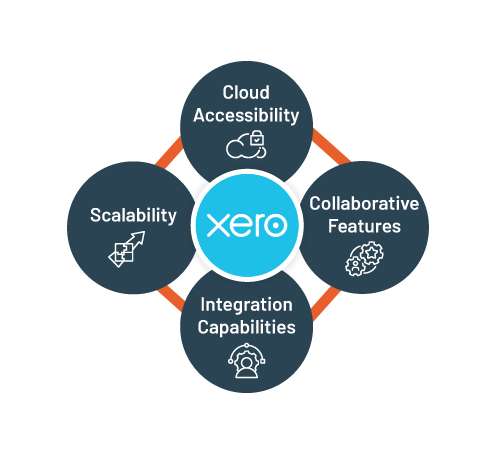
  1. Cloud Accessibility: Xero’s cloud-based approach allows you to access your financial data from anywhere with an internet connection, providing flexibility for businesses with remote teams or on-the-go requirements.
  2. Collaborative Features: With Xero, collaboration becomes effortless. Multiple users can work concurrently, sharing real-time insights and updates. This collaborative environment enhances communication and efficiency within your financial team.
  3. Integration Capabilities: Xero seamlessly integrates with a plethora of third-party apps, allowing you to create a customized business ecosystem. Whether it’s CRM, e-commerce, or project management, Xero’s compatibility ensures a holistic approach to business management.
  4. Scalability: Xero is suitable for businesses of all sizes, offering scalable plans that can grow with your company. This adaptability is particularly beneficial for startups and small businesses looking for a cost-effective solution.


Decoding MYOB: The All-Inclusive Accounting Solution

MYOB (Mind Your Own Business) is a robust accounting software with a long-standing reputation for its comprehensive features. Here’s what makes MYOB a contender in the accounting software arena:MYOB Accounting Solution

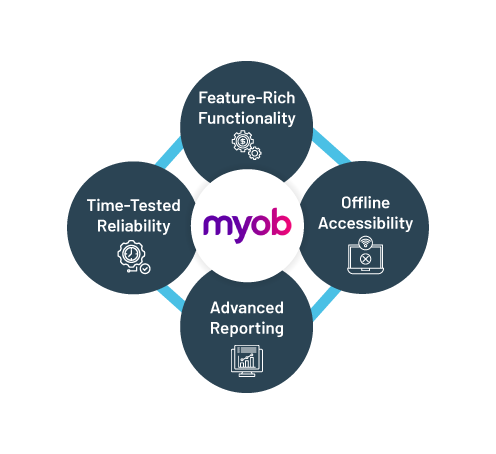
  1. Feature-Rich Functionality: MYOB offers a comprehensive suite of features, covering everything from basic bookkeeping to advanced financial management. This all-inclusive approach makes it suitable for businesses with diverse accounting needs.
  2. Offline Accessibility: Unlike Xero’s cloud-centric model, MYOB allows users to work offline, providing a level of accessibility even in environments with limited internet connectivity. This feature can be advantageous for businesses operating in remote areas.
  3. Advanced Reporting: MYOB’s reporting capabilities are robust, offering in-depth insights into various aspects of your financial operations. This advanced reporting functionality is beneficial for businesses requiring detailed analytics and forecasting.
  4. Time-Tested Reliability: MYOB has a long history in the accounting software realm, earning a reputation for reliability and stability. This legacy can be reassuring for businesses seeking a proven solution with a track record of performance.

Choosing the Right Fit: Key Considerations

  1. Business Size and Growth: Consider the current size of your business and its anticipated growth. Xero’s scalability makes it suitable for startups and small businesses, while MYOB’s comprehensive features cater to larger enterprises.
  2. Collaboration Needs: If real-time collaboration and cloud accessibility are critical for your business, Xero may be the preferred choice. However, if offline accessibility is a priority, MYOB might better align with your requirements.
  3. Feature Requirements: Evaluate the specific features your business needs. Xero is known for its intuitive interface and integrations, while MYOB excels in offering a wide array of features suitable for diverse accounting needs.
  4. Budget Considerations: Compare the pricing structures of Xero and MYOB to ensure that your chosen accounting software aligns with your budget constraints. Consider any additional costs for third-party app integrations or advanced features.

Conclusion: The Right Accounting Software for You

In the Xero vs. MYOB dilemma, the choice ultimately boils down to your unique business requirements. Both platforms offer strengths, and your decision should align with factors such as business size, collaboration needs, feature requirements, and budget constraints. Whether you opt for the cloud accessibility of Xero or the feature-rich functionality of MYOB, making an informed decision ensures that your chosen accounting software becomes a strategic asset in driving your business’s financial success.

FAQs

Q: What is Xero?

A: Xero is a cloud-based accounting software known for its user-friendly interface and real-time financial tracking capabilities.

Q: Why choose Xero?

A: Xero offers cloud accessibility, collaborative features, seamless integrations, and scalability, making it suitable for businesses of all sizes.

Q: What is MYOB?

A: MYOB (Mind Your Own Business) is a comprehensive accounting software with feature-rich functionality and a long-standing reputation for reliability.

Q: What sets MYOB apart?

A: MYOB stands out for its offline accessibility, advanced reporting capabilities, and proven track record of reliability, catering to businesses with diverse accounting needs.

Q: How to decide between Xero and MYOB?

A: Consider factors such as business size, collaboration needs, specific feature requirements, and budget constraints to choose the accounting software that aligns with your unique business needs.

Q: Is Xero suitable for startups?

A: Yes, Xero’s scalability makes it a suitable choice for startups and small businesses looking for a cost-effective and adaptable accounting solution.

Features and Benefits of Using MYOB Accounting Software

In the dynamic landscape of business finance, the right accounting software can be a game-changer. Enter MYOB (Mind Your Own Business), a comprehensive solution designed to streamline financial operations. In this blog, we delve into the key features and benefits that make MYOB a powerful ally in the realm of accounting.

Key Features of MYOB Accounting Software

  1. Comprehensive Functionality: MYOB offers a rich suite of features covering various aspects of financial management, from basic bookkeeping to advanced reporting. This comprehensive functionality ensures that businesses can meet diverse accounting needs within a single platform.
  2. Offline Accessibility: A standout feature of MYOB is its ability to operate offline. This means users can continue working even in environments with limited or no internet connectivity, providing a level of accessibility that suits businesses operating in diverse settings.
  3. Advanced Reporting Capabilities: MYOB excels in providing detailed insights into financial operations. Its advanced reporting capabilities empower businesses to generate in-depth analytics, forecasts, and financial statements, supporting strategic decision-making.
  4. Time-Tested Reliability: With a history spanning several years, MYOB has earned a reputation for reliability and stability. This time-tested track record provides businesses with confidence in the software performance and dependability.
  5. User-Friendly Interface: Despite its advanced capabilities, MYOB maintains a user-friendly interface. This makes it accessible to users with varying levels of accounting expertise, facilitating smooth onboarding and daily operations.
  6. Ease of Integration: MYOB is designed to seamlessly integrate with other business applications, creating a cohesive ecosystem. Whether it is connecting to e-commerce platforms, customer relationship management (CRM) systems, or payroll services, MYOB ensures a streamlined and integrated business environment.

Benefits of Using MYOB Accounting Software

  1. Enhanced Efficiency: The comprehensive features of MYOB contribute to enhanced efficiency in financial management. Users can perform a wide range of tasks within the software, reducing the need for manual processes and minimizing errors.
  2. Flexibility for Diverse Business Sizes: MYOB caters to businesses of varying sizes. Whether you are a small startup or a large enterprise, MYOB scalability allows you to adapt the software to your specific business requirements.
  3. Cost-Effective Solution: MYOB offers cost-effective solutions for businesses seeking advanced accounting capabilities. The software pricing structures ensure that businesses can access the features they need without unnecessary financial strain.
  4. Reliable Support and Updates: MYOB provides reliable customer support and regular software updates. This commitment to ongoing improvement and assistance ensures that businesses using MYOB stay current with the latest features and receive timely support when needed.
  5. Offline Operation for Remote Environments: The offline accessibility of MYOB is a crucial benefit for businesses operating in remote or less-connected environments. It ensures that financial tasks can continue without interruption, supporting business continuity.
  6. Compliance Assurance: MYOB helps businesses stay compliant with regulatory requirements. It supports adherence to accounting standards and assists in navigating the complex landscape of changing regulations, providing peace of mind for businesses in various industries.

Conclusion: Empowering Financial Management with MYOB

In the realm of accounting software, MYOB stands as a robust and versatile solution. Its combination of comprehensive features, reliability, and user-friendly design makes it a valuable asset for businesses seeking to streamline financial operations, enhance efficiency, and make informed strategic decisions. Whether you are a small startup or a large enterprise, MYOB features and benefits contribute to a more effective and reliable financial management experience.

FAQs

Q1: What is MYOB Accounting Software?

A: MYOB (Mind Your Own Business) Accounting Software is a comprehensive financial management solution designed to streamline various accounting tasks, from basic bookkeeping to advanced reporting.

Q2: How does MYOB stand out in terms of functionality?

A: MYOB offers a rich suite of features covering diverse financial needs, making it a one-stop solution for businesses. From offline accessibility to advanced reporting, MYOB ensures comprehensive functionality.

Q3: Is MYOB suitable for businesses of all sizes?

A: Yes, MYOB is scalable and caters to businesses of varying sizes, offering flexibility to adapt to the specific requirements of startups, small businesses, and larger enterprises.

Q4: What is the offline accessibility feature in MYOB?

A: MYOB operates offline, allowing users to work in environments with limited internet connectivity. This feature is advantageous for businesses operating in remote or less-connected areas.

Q5: How user-friendly is MYOB for businesses with varying expertise levels?

A: Despite its advanced capabilities, MYOB maintains a user-friendly interface. This design ensures accessibility for users with different levels of accounting expertise, facilitating smooth onboarding.