Posts Tagged ‘Accounting Software’

5 Most Useful Functions of QuickBooks Accounting Software

Article Summary:

  • QuickBooks is a cloud-based accounting software designed for small and growing businesses.
  • It helps track income, expenses, invoices, payroll, and financial reports in one system.
  • Automated transaction tracking reduces manual bookkeeping errors.
  • Invoicing and billing tools improve cash flow and payment follow – ups.
  • Payroll and tax features support compliance and accurate employee payments.
  • Financial reporting provides real – time visibility into business performance.
  • Inventory tracking helps product – based businesses manage stock efficiently.
  • Global FPO helps businesses implement, manage, and optimize QuickBooks accounting workflows.

Useful features of QuickBooks Software
Running a small business means making dozens of financial decisions every week. Invoicing clients, tracking expenses, paying employees, and understanding whether the business is profitable often happen at the same time. This is where accounting software stops being optional and starts becoming essential.

QuickBooks Accounting Software is one of the most widely used tools for small business accounting. It promises to simplify bookkeeping, reduce manual work, and give business owners clarity over their finances. But what does QuickBooks do, and which functions matter the most in real-world business operations?

This article breaks down the five most useful QuickBooks functions, explains how they help small businesses, and shows where professional support can unlock even more value.

Contact GFPO today for free QuickBooks Setup Consultation

This guide walks through the five most useful functions of QuickBooks. Each one supports clean numbers, smooth bookkeeping, and better financial control.

What is QuickBooks Accounting Software?

QuickBooks is an accounting and bookkeeping platform developed to help businesses manage their day-to-day financial activities. It is available as cloud-based software, allowing business owners, accountants, and finance teams to access data securely from anywhere.

At its core, QuickBooks centralizes financial data. Instead of using spreadsheets, separate payroll tools, and disconnected banking apps, businesses can manage everything in one place. This reduces errors, saves time, and makes financial reporting far more reliable.

Key QuickBooks Functions at a Glance:

QuickBooks Function What It Helps With Business Benefit
Transaction Tracking Automatically records income and expenses Accurate, real-time bookkeeping
Invoicing & Billing Creates and sends professional invoices Faster payments and improved cash flow
Payroll Management Calculates wages, taxes, and deductions Reduced payroll errors and compliance risk
Financial Reporting Generates P&L, balance sheet, cash flow reports Clear business performance insights
Inventory Management Tracks stock levels and reorder points Avoids shortages and overstocking

Not sure which QuickBooks feature you actually need?

Global FPO – Accounting Advisory Services

Understanding 5 Useful Functions of QuickBooks

1. How Does QuickBooks Track Income and Expenses?

One of the most valuable functions of QuickBooks is automated transaction tracking. The software connects directly to business bank accounts and credit cards, importing transactions daily.

Each transaction can be categorized, reviewed, and reconciled. This ensures that income and expenses are recorded accurately and consistently throughout the month.

For small businesses, this function eliminates the need for manual data entry and reduces the risk of missed or duplicated transactions. Clean transaction tracking also forms the foundation for accurate reporting and tax preparation

Example: A business records a sale. The system updates income tables. If the same business logs an expense, QuickBooks bookkeeping displays the change instantly. This simple workflow helps owners understand spending and revenue trends.

2. How QuickBooks Simplifies Invoicing and Billing?

QuickBooks allows businesses to create professional invoices within minutes. Users can customize invoice templates, add payment terms, and automate recurring invoices for regular clients.

Payment reminders help reduce late payments, while integrated payment options allow customers to pay online. This shortens the payment cycle and improves cash flow without additional follow-up work.

For service-based businesses, this invoicing function alone can save several hours every month.

Type of Invoice

Purpose

Useful For

Standard Invoice

Regular billing

Service businesses

Recurring Invoice

Repeats automatically

Subscription models

Progress Invoice

Tracks parts of a
project

Contractors and
agencies

Note: QuickBooks also helps and provides support to users who wish to take guidance with invoice customization or delivery tracking.

Global FPO – Accounting Receivable and Billing Support

3. How Does QuickBooks Handle Payroll and Taxes?

Payroll is one of the most sensitive areas of small business accounting. QuickBooks payroll features help calculate wages, deductions, and applicable taxes based on employee data.

The system keeps payroll data linked to employee profiles. It also helps with tax forms, pay slips, and compliance tasks. For firms without a dedicated accounts team, this tool saves significant time.

Benefits for the Business:

  • Automated calculations
  • Direct bank deposits
  • Clear payroll reporting
  • Tax form assistance
  • Simple link to accounting software for small business
Companies also use this tool for attendance tracking and shift calculations. Payroll updates flow into your books instantly. This means your general ledger accounting stays accurate.

Payroll Setup and Compliance Support.

4. How QuickBooks Generates Financial Reports?

Reports show the health of your business. QuickBooks can produce many types of reports. These include balance sheets, profit and loss accounts, cash flow statements, and ageing reports for accounts receivable.

The software automatically generates key financial reports such as profit and loss statements, balance sheets, and cash flow reports. These reports update in real time as transactions are recorded. Business owners no longer need to wait until the end of the month to understand financial performance.

Common Reports you can generate

  • Sales summary
  • Vendor expense summary
  • Cash flow overview
  • Inventory status
  • Project cost reports
Key Reports and their use:
Report Purpose
Balance Sheet Shows assets and liabilities
Profit and Loss Shows revenue and expenses
Cash Flow Tracks inflow and outflow
Inventory Summary Shows stock movement

These reports help owners plan budgets and prepare for tax season. They also support external audits. Data from Intuit QuickBooks can be exported for advisors or for Global FPO analysts.

5. Inventory Management in QuickBooks

For product-based businesses, inventory management is one of the most useful QuickBooks functions. The software tracks stock levels, cost of goods sold, and inventory valuation.

This helps businesses avoid stock shortages, manage cash tied up in inventory, and maintain accurate margins. While not as advanced as enterprise systems, QuickBooks inventory tools are sufficient for many small and mid-sized businesses.

Inventory tools include:

  • Automatic stock updates
  • Product categorisation
  • Purchase order management
  • Vendor tracking
  • Sales channel syncing
Note: The software also displays the best-selling items. This guides your restock planning. It also supports demand forecasting. These features help owners link accounting, sales, and warehouse operations in one place.

Additional QuickBooks Features Worth Knowing

Bank Reconciliation

This feature keeps books accurate and reduces errors.

Tax Preparation

The software organizes numbers for filing and prepares tax summaries.

Integrations

QuickBooks ProAdvisor – level tools support many integrations. These include project systems, CRM tools, ecommerce platforms, and payment gateways.

Why Use QuickBooks for Businesses?

QuickBooks brings your entire business onto one platform. It supports tasks like accounting, bookkeeping, payroll, invoicing, and tax prep, all from one dashboard. The system scales as you grow, from QuickBooks Self Employed to QuickBooks Enterprise.

You also get access to trained QuickBooks ProAdvisor professionals who guide setup, cleanup, and optimization.

The result is simple: fewer errors, faster reporting, and a clearer view of your business numbers.

Choose QuickBooks to Strengthen Your Financial Systems:

QuickBooks supports daily work for busy business owners. It manages income, expenses, payroll, inventory, and reporting. Tools like QuickBooks Online, QuickBooks Payroll, and QuickBooks Payments help create a complete financial system.

Global FPO helps firms set up the right plan, understand QuickBooks pricing, and use the tools correctly. With expert support, businesses can save time, reduce errors, and maintain clean books throughout the year.

Free QuickBooks Assessment with Global FPO

FAQs

Ques 1: What are the main functions of QuickBooks?

Ans: QuickBooks helps businesses track income and expenses, create invoices, manage payroll, generate financial reports, and monitor inventory in one platform.

Ques 2: Is QuickBooks good for small businesses?

Ans: Yes. QuickBooks is designed for small and growing businesses that need organized bookkeeping, reliable reporting, and scalable accounting tools.

Ques 3: Can QuickBooks replace a bookkeeper?

Ans: No. QuickBooks is a tool. A bookkeeper ensures data accuracy, reconciles accounts, and prepares reliable financial reports using the software.

Ques 4: Does QuickBooks handle taxes?

Ans: QuickBooks supports tax preparation by organizing financial data and generating reports, but businesses still need professional tax filing support.

Ques 5: How much does QuickBooks cost?

Ans: QuickBooks pricing varies by plan and features. Costs increase when adding payroll, advanced reporting, or multiple users.

Ques 6: Is QuickBooks cloud-based?

Ans: Yes. QuickBooks Online allows secure access from any location with an internet connection.

Ques 7: Can QuickBooks manage inventory?

Ans: Yes. QuickBooks includes inventory tracking for product-based businesses, though it may not suit complex inventory needs.

Ques 8: Who should use QuickBooks with professional support?

Ans: Businesses with growing transaction volume, payroll, or compliance requirements benefit most from pairing QuickBooks with expert accounting support.
Final Thoughts: Making QuickBooks Work for Your Business

Ans: QuickBooks Accounting Software is more than a bookkeeping tool. When used correctly, it becomes the financial backbone of a business.

The five functions covered here – transaction tracking, invoicing, payroll, reporting, and inventory – address the most common financial challenges small businesses face.

With the right setup and expert support, QuickBooks helps businesses save time, reduce errors, and make confident financial decisions.

Get a Free QuickBooks Consultation with Global FPO

Get A Free Consultation with a QuickBooks Expert Today

What are the Features and Benefits of Wave Accounting Software?

Features and Benefits of Wave Accounting Software

Managing finances is one of the least glamorous parts of running a small business, yet it is the backbone of everything else. From tracking income to staying compliant at tax time, the right accounting system can either simplify your operations or quietly create chaos.

Wave Accounting Software has become a popular choice among freelancers and small business owners looking for a low – cost way to manage their books. Its promise is simple: essential accounting tools with no monthly subscription fee.

But “Is Wave Accounting actually good for small businesses in 2026?” And where does it fit compared to paid platforms and professional bookkeeping support?

This guide breaks down the features, benefits, limitations, and ideal use cases of Wave Accounting Software, helping you decide whether it fits your business today – and tomorrow.

Article Summary:

  • Wave Accounting Software is a free, cloud-based accounting platform designed for freelancers and small businesses.
  • It offers invoicing, expense tracking, bank connections, and financial reporting without monthly subscription fees.
  • Wave is best suited for service – based businesses with simple financial needs and low transaction volume.
  • Optional paid services include payroll and online payment processing.
  • Wave lacks advanced features such as inventory management and deep third-party integrations.
  • Many businesses use Wave as a starter solution before transitioning to more robust accounting systems.
  • Global FPO supports businesses using Wave by providing professional bookkeeping, reporting, and accounting oversight.

What is Wave Accounting Software?

Wave Accounting Software is an online bookkeeping and accounting platform created primarily for freelancers, solopreneurs, and small businesses. Unlike most accounting tools, Wave offers its core features completely free.

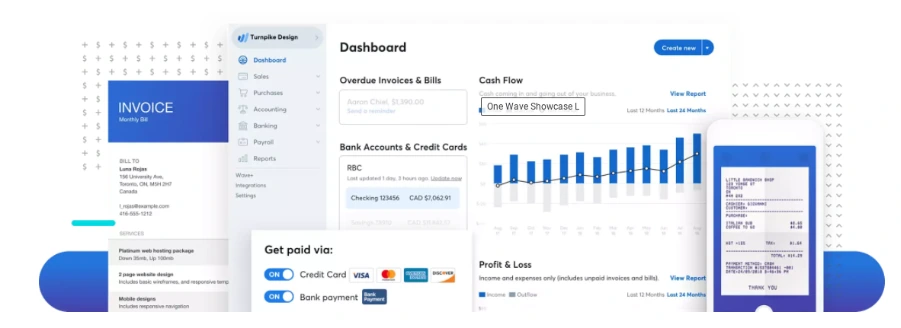
The software focuses on essential accounting tasks rather than advanced financial management. Users can track income and expenses, send invoices, connect bank accounts, and generate basic financial reports from a single dashboard.

Wave operates entirely in the cloud, allowing business owners to access their financial data from anywhere without installing software.

Wave Accounting Software Features and Benefits

What Are the Key Features of Wave Accounting Software?

Wave is intentionally simple. Its feature set covers the fundamentals that small businesses need to stay organized and compliant.

Feature What It Does Best For
Invoicing Create, customize, and send professional invoices with payment links Freelancers and service-based businesses
Expense Tracking Automatically import and categorize expenses from connected accounts Small teams with recurring expenses
Bank Reconciliation Match bank transactions with recorded entries to ensure accuracy Businesses needing clean monthly books
Financial Reports Generate profit & loss, balance sheet, and cash flow reports Owners reviewing financial health
Receipt Capture Upload and attach receipts to expense transactions Businesses needing audit-ready records
Payroll (Paid Add-on) Process payroll and tax filings in supported regions Small businesses with employees

Invoicing and Payments:

Wave allows users to create and send professional invoices quickly. You can customize invoices with your branding, automate recurring invoices, and accept online payments through integrated payment processing.

This is especially useful for freelancers and service-based businesses that invoice clients regularly.

Global FPO often helps clients transition from spreadsheets into Wave in a single day. For small teams, this instant start is a huge advantage.

Expense Tracking

Users can manually record expenses or connect bank and credit card accounts to import transactions automatically. Expenses can be categorized, helping maintain clean and organized financial records.

Accurate expense tracking ensures reliable reporting and easier tax preparation.

Bank Reconciliation

Wave supports bank reconciliation by matching imported transactions with recorded entries. This helps identify missing or duplicate transactions and keeps books accurate.

Financial Reporting

Tracking expenses becomes a lot easier when everything sits in one place. You can upload receipts using your phone, match them against imported transactions, and tag them for tax purposes.

This helps with:

  • Audit – proof documentation
  • Faster tax season preparation
  • Better understanding of spending habits
  • Easier identification of unnecessary costs
For small teams or solo business owners, this feature keeps financial clutter under control.

Insights with Comprehensive Reporting Tools

Wave’s reports offer a complete picture of your business without needing an accountant to interpret basic numbers. You can monitor profitability, check what you owe, and review long-term trends.

This matters when:

  • Applying for loans
  • Planning Budgets
  • Pitching to Investors
  • Checking whether the business is profitable
  • Setting quarterly or annual goals
Many people researching What is Wave Pro discover that advanced reporting and payroll functions which are included in premium tiers, but the free reports are strong enough for most of the users.

Integration with Wave Apps for Enhanced Functionality

Wave integrates smoothly with its internal apps, and each add-on serves a clear purpose. Receipt scanning keeps documentation organized. Wave Payroll (available in select regions) helps automate compliance. Payment tools simplify collections.

For searches like wave project management, users typically want a tool that connects tasks with finances. Wave does not do that directly. However, its integrations with internal apps create a simple, unified financial workflow that avoids unnecessary complexity.

Tax Preparation Made Easy

Tax season becomes far less stressful when all your financial data is stored cleanly. Wave exports comprehensive reports in seconds. You can share them with your accountant or let Global FPO manage them on your behalf.

This helps with:

  • Expense deduction accuracy
  • Quarterly tax estimates
  • Income verification
  • GST or VAT preparation where applicable

For many small teams, Wave serves as the foundation on which proper tax compliance is built.


Global FPO makes taxation easy!!


Pricing Options for Different Business Needs

One of the biggest reasons people search is wave accounting free is the popularity of Wave’s free tier. It covers:

  • Invoicing
  • Payments
  • Expense tracking
  • Basic reporting
  • Bank imports

Businesses can purchase add-ons such as payroll or online payment processing if they want additional convenience. This flexible pricing structure makes the wave finance ecosystem accessible to businesses of all sizes.

Trusted Security Standards

Financial data needs to be protected, and Wave takes this seriously. It uses encryption, secure logins, and cloud-based storage with backups. You can also manage staff access by assigning permissions based on roles. For small organizations without IT teams, this provides peace of mind.

Ideal Users for Wave Software

Wave fits businesses that want essential accounting without complex tools. This includes:

  • Freelancers
  • Solo consultants
  • Micro businesses
  • Online service providers
  • Creative professionals
  • Independent contractors
  • Home-based entrepreneurs
Businesses with heavy inventory or multi-branch operations might need more advanced systems. Everyone else will find Wave more than enough.

Some Limitations to Note

Wave has purposefully kept its toolset simple. That means:

  •  No deep inventory tracking
  • Limited third-party integrations
  • Payroll restricted by geography
  • No full wave project management capabilities
  • No advanced asset tracking

Despite these limits, Wave solves the core bookkeeping needs for the vast majority of freelancers and small firms.

Focus on Growth with Wave Accounting Software

The less time you spend tracking receipts and reconciling expenses, the more time you have to grow your business. Accurate numbers help you make smarter decisions, pitch confidently, and stay organized.

With the wave accounting package in place, owners can focus on improving products, building relationships, and exploring new markets. Our team helps with:

If you want the confidence that your wave bookkeeping system is correct, we are here to guide you.


Book a free consultation with our Experts today.


FAQs

Question 1: What is included in the Wave Accounting package?

The wave accounting package includes invoicing, payments, expense tracking, receipts, reporting tools, and bank connections. It is structured for freelancers and small teams that want simple bookkeeping without complexity.

Question 2:How do I create a Wave account?

You can open a wave account in minutes. Sign up, verify your email, add your business details, and start tracking income or expenses. The setup flow is designed to be beginner-friendly.

Question 3:Does Wave offer payroll?

Yes, but payroll is available only in select regions. Users often upgrade when they search for what Wave Pro is because premium features include payroll and advanced support.

Want help in Payroll services? Contact GFPO today!

Question 4:Does Wave provide audit trails?

It offers transaction history but not a complete audit trail. If you need deep user-activity logs, you may require additional tools. But we at Global FPO do provide Audit trails for our clients, as we have a team of audit professionals. For a free consultation, you can contact us, and we will be happy to help you.

Question 5: Does Wave offer payroll?

Yes, but payroll is available only in select regions. Users often upgrade when they search for what Wave Pro is because premium features include payroll and advanced support, which is where we come in. We at Global FPO have experience in handling payroll issues and have helped more than 350+ clients in payroll handling.

Top 10 Free Accounting Software for Small Business in 2026

Quick Summary

  • This guide lists the 10 best free small business accounting software options in 2026.
  • Compare tools based on features, ease of use, and scalability.
  • Includes software for freelancers, startups, and growing businesses.
  • Learn the pros and limitations of free accounting tools.
  • Find the best software based on your budget and business needs.

Managing money shouldn’t feel overwhelming – especially when you’re running a small business. The good news? You don’t need an expensive tool to get organised. In 2026, there are plenty of free accounting software options built for entrepreneurs, freelancers, and growing teams.

The challenge, though, is choosing the right one.

This guide breaks down the top 10 free accounting programs for small business owners in 2026, what makes each one unique, and
how they compare. Whether you need simple accounting software or something more advanced, you’ll find the right fit here.

Along the way, you’ll also see where each tool excels – because bookkeeping isn’t one – size – fits – all.

What is free small business accounting software?
Free small business accounting software helps businesses manage bookkeeping, invoicing, and financial tracking without subscription costs. It is ideal for startups, freelancers, and small teams with limited budgets.

Why Free Accounting Software Matters?

Cash flow is tight for most small businesses right now. Every subscription feels like another bill. A reliable bookkeeping software for a small business should help you:

  • Track income and expenses
  • Create invoices
  • Reconcile accounts
  • Manage tax preparation
  • Understand your financial position

And yes, many tools now offer all these features without a monthly payment. The best part – 2026 versions of these platforms are smarter, faster, and more secure than ever before

Top 10 Free Accounting Software for Small Businesses in 2026

Looking for the best free small business accounting software? Below is a quick comparison of top tools based on features, usability, and business needs.

Software Best for Free Plan Key Strength
Wave Freelancers & micro businesses Yes Free invoicing and bookkeeping
Zoho Books Small growing businesses Limited Automation and GST compliance
FreshBooks Service-based businesses Trial only Client billing and reporting
QuickBooks Scaling businesses No Advanced accounting ecosystem

1. Wave Accounting – Best All-Round Free Accounting Software

Wave continues to dominate the free small business accounting software space. The 2026 update includes improved invoice
templates, faster bank sync, and simplified tax reports.

Why it works well:

It’s intuitive, mobile-friendly, and ideal for freelancers and small teams.

Best for: Service-based businesses, freelancers

Key features:

  • Unlimited invoicing
  • Automated reminders
  • Dashboard with cash flow snapshots
  • Free bookkeeping tools
  • Basic inventory support

2. Zip Books – Best for Clean and Simple Bookkeeping

Zip Books remains a favourite for users who want simple accounting software without complexity. The 2026 upgrade includes enhanced
categorisation and better PayPal/Square integrations.

Best for: Solo entrepreneurs, consultants

Key features:

  • Unlimited invoices
  • Basic expense tracking
  • Digital payments
  • Cash and accrual accounting

3. GnuCash – Best for Desktop Users

If you prefer offline accounting, GnuCash is one of the most complete free accounting programs available. It’s powerful, flexible,
and secure.

Best for: Businesses needing privacy or offline access

Key features:

  • Double-entry accounting
  • Multi-currency support
  • Scheduled transactions
  • Deposit & reconciliation tools

4. Akaunting – Best Customisable Free Software

Akaunting’s open-source environment makes it ideal for businesses wanting control and customisation.

Best for: Tech-savvy users or businesses that need custom workflows

Key features:

  • Cloud and self-hosted options
  • Unlimited invoicing
  • Multi-currency
  • Growing marketplace apps

5. Manager – Best Offline + Online Hybrid

Manager continues to be a standout for businesses wanting both a desktop version and a cloud option.

Best for: Small teams needing flexibility

Key features:

  • Inventory tracking
  • Basic payroll
  • Unlimited companies
  • Clean interface

6. Sunrise – Best Interface for Non-Accountants

Sunrise has always been designed for business owners who don’t enjoy bookkeeping. The 2026 version is even more visual and beginner friendly.

Best for: Entrepreneurs overwhelmed by numbers

Key features:

  • Clean dashboard
    • Expense categorisation
    • Basic reports
    • Invoicing tools

7. CloudBooks – Best for Invoicing + Project Billing

CloudBooks focuses on freelancers and project-based businesses. While not entirely free, its free plan offers enough to get
started.

Best for: Small agencies, contractors

Key features:

  • Time tracking
  • Project-level reporting
  • Client portal
  • Unlimited invoices (free tier limited features)

8. Zoho Books – Best Free Plan for Micro Businesses

Zoho Books remains one of the industry’s strongest small business bookkeeping software tools. The catch? The free plan is only for
businesses below a revenue threshold.

Best for: Micro businesses & startups

Key features:

  • 25+ reports
  • Bank rule automation
  • Mileage and recurring expenses
  • Mobile-friendly

9. Invoice Ninja – Best for Invoicing Power Users

Invoice Ninja is the go-to if invoicing is your primary need. It’s highly customisable and offers strong automation features even on
the free plan.

Best for: Businesses wanting branded, automated invoices

Key features:

  • Custom invoice templates
  • Client portal
  • Time tracking
  • Multi-currency

10. Odoo (Free Module) – Best for Growing Businesses

Odoo gives you one free module—most businesses pick accounting. It’s more advanced than most free bookkeeping software tools.

Best for: Businesses needing scalability

Key features:

    • Real-time financial reports
  • Budget tracking
  • Bank sync
  • Built-in CRM compatibility
Note: The right bookkeeping software for a small business should save time – not add to your workload.

Benefits of Using Free Accounting Software in 2026

Using a reliable free tool helps you:

  • Reduce costs
  • Get faster insights
  • Stay compliant
  • Avoid manual mistakes
  • Organise transactions
  • Prepare for tax season

Modern tools now do much more than just record numbers – they help you take smarter decisions.

Limitations of Free Accounting Software in 2026

While free accounting software works well for early – stage businesses, it does come with limitations. Most free tools restrict advanced reporting, multi-user access, integrations, or customer support. As transaction volume increases, manual work often rises as well. For businesses planning to scale, free accounting software may eventually require an upgrade to paid plans or professional bookkeeping support.

Need Help Choosing the Right Accounting Setup for Your Business?

Global FPO helps small businesses select, implement, and manage the right accounting software while ensuring accurate bookkeeping and compliance.

Need Help Choosing the Right Accounting Software?

Get expert guidance based on your business needs — no guesswork.

Talk to an Expert →

Conclusion

Finding the best free accounting software for small business in 2026 depends on your workflow, comfort level, and growth plans. Whether you want something simple like ZipBooks or a more dynamic tool like Wave or Odoo, you have solid options that won’t strain your budget. And as your business grows, these platforms grow with you – making bookkeeping easier at every stage.

FAQs

Ques 1: What is the best free accounting software for small businesses in 2026?

Wave is one of the most popular free accounting software options in 2026 for small businesses due to its free invoicing and bookkeeping features.

Ques 2: Is free accounting software safe to use?

Most reputable free accounting software providers use encryption and secure cloud infrastructure, but businesses should still follow best data protection practices.

Ques 3: Can free accounting software scale with my business?

Free software can support early growth, but most businesses eventually need paid features for automation, reporting, or multi-user access.

Ques 4: When should a business upgrade from free accounting software?

Businesses should consider upgrading when transaction volume increases, compliance becomes complex, or financial reporting needs become more advanced.

Ques 5: Do accountants recommend free accounting software?

Accountants often recommend free accounting software for startups, but advise transitioning to paid tools as the business grows.

Streamline Accounting Software: Save Time and Money

Managing finances effectively is a critical aspect of running any business. However, traditional bookkeeping can be a tedious and time-consuming task. The introduction of accounting software has revolutionized the way businesses handle their finances, providing an efficient, cost-effective solution. In this article, we will explore how accounting software can save your time and money, making it an indispensable tool for businesses of all sizes.

The Advantages of Using Accounting Software

Streamlining Financial Processes

One of the most significant benefits of accounting software is its ability to streamline financial processes. Traditional bookkeeping involves manual data entry, which is not only time-consuming but also prone to errors. Accounting software automates many of these tasks, reducing the likelihood of mistakes and freeing up valuable time. By automating tasks such as invoicing, payroll, and tax calculations, businesses can ensure accuracy and compliance while focusing on more strategic activities.

Real-Time Financial Monitoring

With accounting software, businesses gain access to real-time financial data. This immediate insight allows for better decision-making and more effective financial planning. Traditional bookkeeping methods often result in delays, as financial data must be manually entered and processed. In contrast, accounting software updates financial records automatically, providing a current snapshot of the company's financial health at any given moment. This real-time monitoring enables businesses to quickly identify and address potential issues, ensuring financial stability and growth.

Cost Savings

Implementing accounting software can lead to significant cost savings. By automating routine tasks, businesses reduce the need for extensive bookkeeping staff. Additionally, the accuracy and efficiency provided by the software minimize the risk of costly errors and penalties associated with financial mismanagement. Many accounting software solutions also offer scalable pricing models, allowing businesses to choose a plan that fits their budget and needs, further enhancing cost efficiency.

Enhanced Data Security

Protecting sensitive financial information is paramount. Accounting software provides enhanced data security features that safeguard financial records from unauthorized access and cyber threats. Most accounting software solutions employ advanced encryption methods and secure backup options, ensuring that data is protected and easily recoverable in the event of a system failure or data breach. This level of security is often beyond the capabilities of traditional paper-based systems or basic spreadsheet applications.

Read Blog- Choose the Right Accounting Software for Small Business

Key Features of Effective Accounting Software

Automated Invoicing and Billing

One of the core features of accounting software is automated invoicing and billing. This functionality not only saves time but also improves cash flow management. Automated invoicing ensures that invoices are sent promptly, reducing the likelihood of late payments. Additionally, many software solutions offer customizable templates and automated reminders, further streamlining the invoicing process and enhancing efficiency.

Expense Tracking and Management

Accurate expense tracking is crucial for maintaining financial health. Accounting software allows businesses to easily track and categorize expenses, providing a clear overview of where money is being spent. This feature simplifies the process of identifying cost-saving opportunities and ensures that expenses are accurately recorded for tax purposes. Many accounting software solutions also integrate with bank accounts and credit cards, automating the import of transaction data and reducing the need for manual entry.

Payroll Management

Managing payroll can be a complex and time-consuming task. Accounting software simplifies payroll management by automating calculations and ensuring compliance with tax regulations. This feature reduces the risk of errors and penalties while saving valuable time. Payroll software often includes features such as direct deposit, tax filing, and employee self-service portals, making it a comprehensive solution for managing employee compensation.

Financial Reporting

Effective financial reporting is essential for making informed business decisions. Accounting software provides a range of reporting tools that allow businesses to generate detailed financial statements, budgets, and forecasts. These reports offer valuable insights into financial performance, helping businesses to identify trends, measure profitability, and plan for future growth. Customizable reporting options enable businesses to tailor reports to their specific needs, ensuring that they have the information required to make strategic decisions.

Tax Preparation and Compliance

Tax preparation can be a daunting task, especially for businesses with complex financial situations. Accounting software simplifies tax preparation and compliance by automating calculations and ensuring that financial records are accurate and up to date. Many software solutions offer features such as tax form generation, electronic filing, and compliance alerts, reducing the risk of errors and penalties. By streamlining the tax preparation process, accounting software allows businesses to focus on their core activities, confident that their tax obligations are being met.

Choosing the Right Accounting Software

Assessing Business Needs

When selecting accounting software, it is essential to assess your business needs. Consider factors such as the size of your business, the complexity of your financial processes, and your budget. Small businesses may benefit from simple, user-friendly software with basic features, while larger businesses with more complex needs may require advanced solutions with comprehensive functionality.

Ease of Use

The ease of use of accounting software is a critical consideration. Look for software with an intuitive interface and clear instructions. Software that is difficult to navigate can result in frustration and errors. Many accounting software providers offer free trials or demos, allowing businesses to evaluate the software before making a purchase decision.

Integration Capabilities

Consider the integration capabilities of the accounting software. Effective software should integrate seamlessly with other business systems, such as CRM software, e-commerce platforms, and bank accounts. This integration ensures a smooth flow of data across different systems, reducing the need for manual entry and improving overall efficiency.

Customer Support

Reliable customer support is vital when implementing new software. Choose a provider that offers comprehensive support options, including phone, email, and live chat. Additionally, consider the availability of online resources such as tutorials, FAQs, and user forums. Effective customer support ensures that any issues can be quickly resolved, minimizing disruptions to your business operations.

Scalability

As your business grows, your accounting needs may change. Choose accounting software that offers scalability, allowing you to add features and functionality as needed. Scalable software ensures that your accounting solution can grow with your business, providing long-term value and reducing the need for frequent software changes.

Read This:- Accounting Software for Real Estate Investors and Agents

Simplify Your Bookkeeping with Global FPO Accounting Software Experts

Our team of seasoned professionals specializes in leveraging cutting-edge accounting software to streamline your financial processes. By partnering with Global FPO, you gain access to tailored solutions that automate routine tasks such as invoicing, payroll, and expense tracking, freeing up your valuable time to focus on core business activities. Our experts ensure seamless integration with your existing systems, providing real-time financial insights and enhancing data accuracy. With robust security measures and scalable options, our solutions grow with your business, ensuring compliance and reducing the risk of costly errors. Trust us to transform your bookkeeping into a smooth, efficient process, allowing you to make informed decisions and achieve greater financial stability and success.

Conclusion

Accounting software is an invaluable tool for businesses looking to simplify their bookkeeping processes, save time, and reduce costs. By automating routine tasks, providing real-time financial data, and enhancing data security, accounting software allows businesses to focus on strategic activities and make informed decisions. When choosing accounting software, it is essential to assess your business needs, consider ease of use, integration capabilities, customer support, and scalability. By selecting the right software, businesses can streamline their financial processes and achieve greater efficiency and profitability.

Frequently Asked Questions (FAQs)

1. What is accounting software, and how can it benefit my business?

Accounting software is a digital tool designed to manage and automate financial tasks such as invoicing, payroll, expense tracking, and financial reporting. It benefits your business by streamlining bookkeeping processes, reducing errors, providing real-time financial data, and enhancing data security. This saves time and money while improving overall financial management.

2. How does accounting software improve data accuracy?

Accounting software improves data accuracy by automating routine tasks and minimizing the need for manual data entry. Automated processes reduce the likelihood of human errors, ensuring that financial records are accurate and up-to-date. Additionally, features like real-time updates and integration with other systems help maintain consistency and precision.

3. Can accounting software help with tax preparation?

Yes, accounting software can significantly assist with tax preparation. It automates tax calculations, generates necessary tax forms, and ensures compliance with tax regulations. This reduces the risk of errors and penalties, making the tax filing process more efficient and less stressful.

4. Is accounting software secure?

Modern accounting software includes advanced security features such as encryption, secure backups, and access controls to protect sensitive financial data. These measures safeguard your information from unauthorized access and cyber threats, ensuring that your financial records are secure.

5. How do I choose the right accounting software for my business?

To choose the right accounting software, assess your business needs, including the size of your business, the complexity of your financial processes, and your budget. Consider factors such as ease of use, integration capabilities, customer support, and scalability. Evaluating these aspects will help you select a solution that best fits your requirements.

7 Best Cloud-based Accounting Software for Small Business

Running a small business means wearing many hats, but keeping track of your money doesn’t have to be one of the hardest parts. Thanks to cloud-based accounting software, managing your finances has become easier, faster, and more accurate. These tools help you stay on top of your income, expenses, invoices, and taxes—all from your phone or laptop. Whether youre a freelancer, an online shop owner, or a growing company, the right accounting software can save you time and reduce costly mistakes. In this blog, we’ll walk you through the 7 best cloud-based accounting tools for small businesses in 2025.

But what is cloud accounting software? Keep on reading to know more!

What is Cloud Accounting Software?

Accounting software that is hosted on remote servers, similar to the SaaS (Software as a Service) business model, is the only thing that separates cloud accounting software from conventional, on-premises, or self-install accounting software. The data is received, and processed, and the results are then sent back to the user by the “cloud”. Cloud accounting software is a modern solution that revolutionizes the way businesses manage their financial data. Unlike traditional accounting software installed on a computer, cloud accounting software is hosted on remote servers, and accessible via the internet. This offers numerous advantages, including real-time access to financial information from anywhere, enhanced collaboration among team members, and automatic updates and backups. It also reduces the need for costly hardware and IT maintenance.

Cloud accounting software typically includes features such as invoicing, expense tracking, payroll processing, and financial reporting. Its scalability makes it suitable for businesses of all sizes, from small startups to large enterprises. With robust security measures in place, it ensures the safety and confidentiality of financial data. Overall, cloud accounting software streamlines financial management, improves accuracy, and provides valuable insights that help businesses make informed decisions.

1. QuickBooks Online

QuickBooks Online is one of the most popular accounting tools for small businesses. It’s made by Intuit and trusted by millions of users. It lets you send invoices, track income and expenses, manage inventory, and even run payroll. It’s great for beginners but also powerful enough for larger teams. With its mobile app, you can check your business numbers on the go.

Quick Summary:

Item

Details

Price

$30 to $200/month

Free Trial

30 days

Mobile App

Yes

Payroll

Available as add-on

Best For

All types of businesses

Key Features:

  • Invoicing and billing
  • Expense and income tracking
  • Payroll management
  • Financial reporting
  • Inventory tracking

Pros:

  • Very popular and trusted
  • Works well with other apps
  • Easy to use

Cons:

  • Can get expensive
  • Learning curve for advanced features

2. Xero

Xero is known for being simple, clean, and easy to use. It’s a great choice if you have a small team or need to work closely with your accountant. Xero allows multiple users to log in at the same time, so it’s perfect for businesses that need to collaborate. It connects with over 1,000 apps and handles everything from invoicing to bank reconciliations.

Quick Summary:

Item

Details

Price

$30 to $200/month

Free Trial

30 days

Mobile App

Yes

Payroll

Available as add-on

Best For

All types of businesses

Key Features:

  • Bank feed and reconciliation
  • Real-time financial tracking
  • Invoicing
  • Inventory management
  • Multiple-user access

Pros:

  • Simple, clean interface
  • Strong app connections
  • Great for teamwork

Cons:

  • Limited customer support
  • Some features only in higher tiers

3. Zoho Books

Zoho Books is part of the Zoho family, which includes tools for email, customer service, and more. If your business already uses Zoho apps, Zoho Books will fit right in. It offers everything from invoicing to project tracking and is especially affordable. There’s even a free version for very small businesses.

Quick Summary:

Item

Details

Price

Free to $240/month

Free Plan

For businesses making < $50K/year

Mobile App

Yes

Payroll

Yes (with Zoho Payroll)

Best For

Zoho users and small companies

Key Features:

  • Invoicing and billing
  • Expense tracking
  • Project management
  • Reports and dashboards
  • Workflow automation

Pros:

  • Affordable pricing
  • Great for Zoho users
  • Easy to automate tasks

Cons:

  • Some features only in premium plans
  • Limited integrations outside Zoho

4. FreshBooks

FreshBooks is a favorite for freelancers and service-based businesses. If you work with clients and bill them by the hour, FreshBooks is perfect. It offers time tracking, project management, and simple invoicing. It’s easy to learn and makes communication with clients smooth and professional.

Quick Summary:

Item

Details

Price

$19 to $60/month

Free Trial

30 days

Mobile App

Yes

Payroll

Available via Gusto

Best For

Freelancers and consultants

Key Features:

  • Time tracking
  • Custom invoicing
  • Expense management
  • Client collaboration tools
  • Project tracking

Pros:

  • Great for time-based billing
  • Easy to learn
  • Looks professional

Cons:

  • Not good for inventory
  • Can get pricey with more clients

5. Wave

Wave is a great choice if you’re just starting out and don’t want to spend a lot of money. It offers core features for free, including invoicing, accounting, and receipt scanning. If you need payroll or payment processing, you can pay extra for those. It’s ideal for solo business owners and freelancers.

Quick Summary:

Item

Details

Price

Free (pay for payroll & cards)

Free Plan

Yes

Mobile App

Yes

Payroll

Starts at $20/month

Best For

Freelancers, tiny startups

Key Features:

  • Free accounting tools
  • Invoicing and payments
  • Basic financial reports
  • Receipt scanning

Pros:

  • Completely free
  • Easy to set up
  • Great for small teams

Cons:

  • Few advanced features
  • Limited customer support

6. Sage 50 Cloud

Sage 50 Cloud is a strong tool with advanced features. It’s best for businesses that sell products and need help with inventory, job costing, or payroll. It’s more complex than other tools, so it might take more time to learn. But it offers powerful tools once you get used to it.

Quick Summary:

Item

Details

Price

$58 to $160/month

Free Trial

30 days

Mobile App

Limited

Payroll

Available

Best For

Product-based businesses

Key Features:

  • Advanced inventory tools
  • Job and project costing
  • Budget and cash flow tracking
  • Financial reporting

Pros:

  • Very powerful features
  • Great for selling products
  • Good for experienced users

Cons:

  • Steeper learning curve
  • Mobile access is limited

7. Patriot Software Accounting

Patriot is a simple and affordable accounting solution for small U.S. businesses. It offers easy tools for tracking income and expenses. While it doesn’t have a mobile app, it’s web-based and straightforward. You can also add payroll at a low cost. If youre just looking for the basics, this is a solid option.

Quick Summary:

Item

Details

Price

$20/month (accounting only)

Free Trial

30 days

Mobile App

No

Payroll

From $17/month

Best For

Budget-friendly U.S. users

Key Features:

  • Income and expense tracking
  • 1099 contractor payments
  • W-2 employee support
  • Bank imports

Pros:

  • Very affordable
  • Simple and clean layout
  • Friendly customer support

Cons:

  • No mobile app
  • Fewer features than others

Comparison Table

Here’s an easy-to-read table to compare all seven:

Software

Starting
Price

Free
Plan

Payroll
Add-On

Best
For

QuickBooks

$30/month

No

Yes

All business types

Xero

$15/month

No

Yes

Teams and accountants

Zoho Books

Free–$240/mo

Yes

Yes

Zoho users, small companies

FreshBooks

$19/month

No

Yes

Freelancers and service providers

Wave

Free

Yes

Yes

Startups and solo businesses

Sage 50 Cloud

$58/month

No

Yes

Product-based businesses

Patriot

$20/month

No

Yes

U.S.-based budget-conscious users

Choose the Right Software and Get Expert Help

Cloud-based accounting software can make your financial tasks easier, but picking the right one is just the first step. To get the most out of your software, you need it set up the right way and used correctly from day one. That’s where Global FPO can help. We specialize in helping small businesses like yours choose the best tools, get them running smoothly, and keep your books clean all year long. Whether you need ongoing bookkeeping or just help getting started, our expert team is ready to support you. Reach out to Global FPO today and take the stress out of accounting.

FAQs

1. What is cloud-based accounting software?
It’s an online tool that helps you manage finances from anywhere, offering real-time data access and easy tracking of expenses, income, and taxes.

2. How do I choose the right accounting software?
Consider your business size, budget, and features. For example, QuickBooks is great for all business types, while Wave is perfect for startups on a budget.

3. Is it worth paying for cloud-based accounting software?
Yes, it saves time, reduces errors, and helps with taxes. Most software is affordable and makes financial tasks easier.

4. Can cloud-based software help with taxes?
Yes, it generates tax reports, calculates taxes, and helps ensure you meet tax deadlines.

5. Do I need a professional to set up cloud-based accounting software?
While the software is user-friendly, professionals like Global FPO can ensure its set up properly and integrated with your business tools.